Toolbar and menus
The bar, the canvas and the menus of Open Negative Initiative. Every key of the bar and of the margin round your photo, and every menu item with its shortcut.
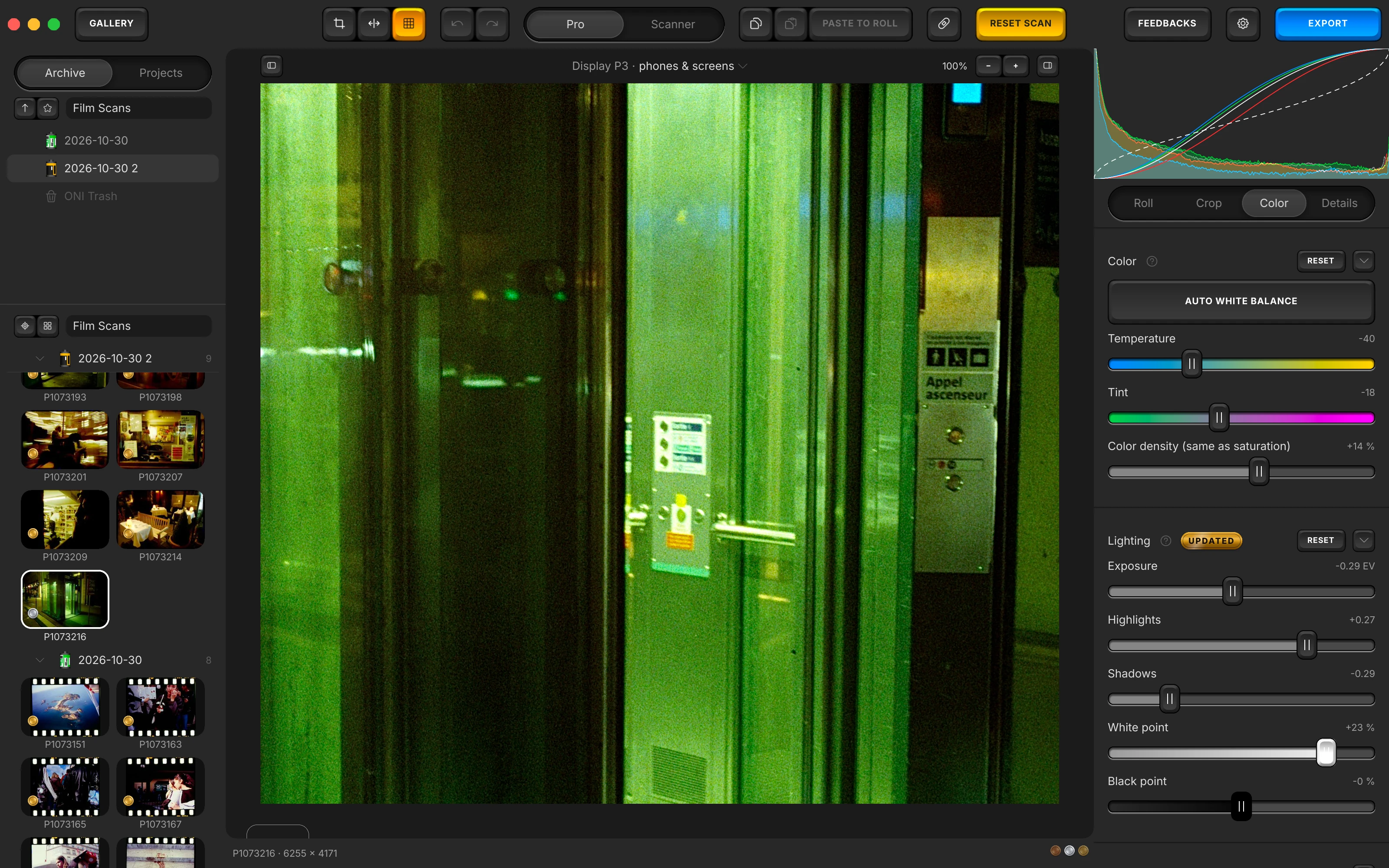
The bar
The bar carries only gestures a menu already reaches, in three zones. The editor's keys are there while a photo is open; the gallery, and Prepare the Roll, put their own in their place.
- EDITOR
Where you are going. EDITOR in the gallery, GALLERY beside a photo, ⌘G either way.
Two faces for one photo. Pro's sliders, or a lab scanner's keypad, beside Undo and Redo.
- RESET SCAN
Back to the import. RESET SCAN keeps your crop and your conversion; ⇧⌘R does the same.
EDITOR and GALLERY
EDITOR in the gallery, GALLERY beside a photo: the key names where it goes, ⌘G either way. It stays greyed in the gallery until there is a photo to open.
- In Prepare the Roll it reads GALLERY and leaves the roll, except while the roll is being measured.
- Space also returns from the editor to the gallery, outside De-dust.
The centre keys
Beside a photo, each family on its own plate: Crop and Straighten, Compare and Select the Whole Roll; Undo and Redo; the Pro and Scanner switch; Copy settings, Paste settings and PASTE TO ROLL; the De-dust key; and RESET SCAN.
- In the gallery the label filter, PREPARE ROLL and Move to ONI Trash take the editor's keys' place; while a roll is prepared, its five steps do.
- RESET SCAN takes your photo's look back to how it was imported, keeping its crop and its conversion; ⇧⌘R does the same.
- Select the Whole Roll (⌘A) shows the roll's photos together; pressed again, the photo you came from is alone again.
- Every key here is also in a menu.
FEEDBACKS, Settings and EXPORT
FEEDBACKS sends a bug report or an idea. The gear opens Settings (⌘,). At the edge, EXPORT, counted on a selection, opens the export screen; in the gallery the same key reads ADD FOLDER…, to star a folder of scans and open it.
- With several photos picked, EXP. CONTACT SHEET stands beside EXPORT, to write them on one sheet.
- When a new version is ready, an UPDATE TO key, naming it, takes the export key's place.
- Export stays on ⌘E wherever you are.
The canvas
Around the photo, in the margin, covering no pixel of it.
- −+
Closer, or the whole photo. − and + beside the scale, ⌘− and ⌘+; a double click toggles 100%.
Nothing over your photo. The working space, the zoom and the column keys sit in the margin, covering none of it.
Working space
Above the photo, the working space and what it is for: Display P3 · phones & screens at first, sRGB · web & social, Adobe RGB · print, ProPhoto · wide print, or a paper's profile. A click opens the chooser, the same field as the export's Space.
- The canvas is always drawn as the export will write it: what you edit is what you get.
- On a paper's profile, the chooser adds Show only color variation (not recommended).
Zoom
At the top right of the canvas: the scale, then − (⌘−) and + (⌘+). A double click on the photo toggles 100%, a pinch zooms, a drag moves it. The scale reads · preview while a reduced copy shows.
- In the gallery the same two shortcuts are Smaller Thumbnails and Larger Thumbnails.
- In Settings, Keep the zoom from one photo to the next opens each photo at the last one's zoom, to compare grain across a roll.
What this screen cannot show
Show What This Screen Cannot Show (⇧⌘Y), in the View menu, lays stripes over the colours of your photo this screen cannot show: what a wider screen, or a recent phone, shows stronger.
- The same switch is in Settings, and the app remembers it for the next launch.
Arrows, Space and Return
In the editor, ← and ↑ open the frame before, → and ↓ the frame after; Space returns to the gallery. Return applies a crop or a measuring window being drawn.
- In De-dust, Space held is the hand that moves the photo.
- On the Scanner face, Esc goes back to Pro, and Return does nothing.
Hide the Library and the Panel
Hide the Library (⌥⌘[) and Hide the Panel (⌥⌘]) put a column away so your photo takes the width. Their two keys sit in the canvas margin, on their column's side, and read Show once the column is hidden.
- A hidden column slides back over the photo when the pointer reaches its edge, and away again when the pointer leaves it.
Every key of the bar and the canvas
Each key names its gesture in its tooltip, and a key whose name changes says what the next press does. A tint says what kind of gesture a key is: orange for the whole roll and the contact sheet, the accent for export, a warning tint for a reset or the ONI Trash.
Left
The mode key, absent on the export screen.
| Key | Face | Tint | Notes |
|---|---|---|---|
| EDITOR / GALLERY | words | grey | Names the side it goes to, ⌘G; greyed in the gallery until there is a photo to open. In Prepare the Roll it reads GALLERY and leaves the roll, except while it measures. |
Centre
Beside a photo, the editor's keys, each family on its own plate. Short of room, a word key gives way to its icon.
| Key | Face | Tint | Notes |
|---|---|---|---|
| Crop and Straighten | an icon | grey | Opens the Crop tab, ⌘K. |
| Compare | an icon | grey | Your photo against its imported state, dust still healed: Compare Before/After in the View menu. |
| Select the Whole Roll | an icon | orange | ⌘A: the whole roll selected and shown together; pressed again, the photo it came from alone again. |
| Undo / Redo | an icon | grey | ⌘Z and ⇧⌘Z; the tooltip names the gesture. |
| Pro / Scanner | a switch | grey | Pro's sliders or a lab scanner's keypad; each face keeps its own finish. |
| Copy settings | an icon | grey | ⇧⌘C. |
| Paste settings | an icon | grey | ⇧⌘V, counted on a selection: Paste settings to 12 photos. |
| PASTE TO ROLL | words | grey | Paste to the Roll: every photo of the open photo's roll. |
| De-dust / Leave De-dust | an icon | grey | Enters De-dust and leaves it; lit while it is on. |
| RESET SCAN | words | caution | Reset to Imported State, ⇧⌘R. |
Centre in the gallery
In the gallery the centre holds the gallery's own keys.
| Key | Face | Tint | Notes |
|---|---|---|---|
| Select the Whole Roll | an icon | orange | ⌘A. |
| Undo / Redo | an icon | grey | ⌘Z and ⇧⌘Z, naming the gesture they take back. |
| ALL / BRONZE / SILVER / GOLD | words | grey | The label filter, Filter: All in the Labels menu, ⌘L: each press shows the next label. |
| PREPARE ROLL | words | grey | Prepare the Roll on the selection. |
| RESET SCAN | words | caution | Reset to Imported State, ⇧⌘R. |
| Move to ONI Trash | an icon | destructive | Counted on a selection: Move 12 Photos to ONI Trash. |
Centre in Prepare the Roll
While a roll is prepared, one key per step on one plate, the current one lit, a lamp on each step behind it.
| Key | Face | Tint | Notes |
|---|---|---|---|
| FILM | words | grey | Select the Film Type. |
| FLAT-FIELD | words | grey | Set Up the Flat-Field. |
| BASE | words | grey | Pick the Film Base. |
| FLAGS | words | grey | Flag the Frames Left Out. |
| WINDOW | words | grey | Place the Measuring Frame. |
Right
FEEDBACKS and Settings, then the export key, which Prepare the Roll leaves out.
| Key | Face | Tint | Notes |
|---|---|---|---|
| FEEDBACKS | words | grey | Report a Bug / Give Feedback. |
| Settings | an icon | grey | The Settings sheet, also Settings… in the File menu, ⌘,. |
| EXP. CONTACT SHEET | words | orange | Only with several photos picked: the export screen with the photos on one contact sheet. |
| EXPORT / ADD FOLDER… | words | accent | EXPORT beside a photo, counted on a selection: EXPORT 12 PHOTOS; ADD FOLDER… in the gallery, export staying on ⌘E. |
| UPDATE TO … | words | update | In the export key's place when a new version is ready; it names the version, and reads UPDATING once clicked. |
Canvas
In the margin round the photo, covering none of it.
| Key | Face | Tint | Notes |
|---|---|---|---|
| Hide the Library / Show the Library | an icon | grey | Top left, ⌥⌘[. |
| Working Space | words | grey | Top centre: the space and its use, Display P3 · phones & screens at first; a click opens the chooser. |
| Zoom out / Zoom in | an icon | grey | Top right, after the scale: − and +, ⌘− and ⌘+. |
| Hide the Panel / Show the Panel | an icon | grey | Top right, last, ⌥⌘]. |
The rest of the manual.
Every surface of the app, in the order of your work. From the folder of scans to the exported file.
- ArchiveOpening the folder of your scans, your folders and favourites, the Archive and Projects tabs, a roll's own facts, the Rolls and Labels menus, and the ONI Trash.
- Prepare the RollThe five steps a roll goes through before its frames are edited: film, flat-field, film base, flags, measuring frame, then Measure.
- RollWhat a roll shares: film type, flat-field, source encoding, the manual balance, the levels, dye separation and Balance strength.
- CropThe framing's own Copy and Paste, aspect ratio, straightening, quarter turns and mirrors, and the measuring window.
- ColorAuto White Balance, Temperature and Tint, Lighting, Effects, Curves, the finishing blocks, and Paper Correction on a paper profile.
- DetailsSharpening, chroma denoise and texture, the stages that act on the grain, judged in the loupe at full resolution.
- De-dustThe brush for dust and scratches, its size, and the list of corrections painted on the open photo.
- ScannerThe Scanner face: ONI or Frontier, a lab scanner's keypad of D, C, M, Y and TEMP, and the finish laid after its render.
- PresetsThe deck, saving a preset, its eighteen switches and white balance choice, the Settings menu, and Copy and Paste.
- ExportThe export screen: three presets, format, space and paper profiles, size, the HDR hack, each photo's EXIF line.
- The whole manualEvery surface on one page, in the order a roll goes through the app.
- The guideYour first negative converted, step by step.
Convert your first roll tonight.
Add your folder, prepare the roll once, export. Free, and nothing else to install.
- Mac
- macOS 13 or later on Apple Silicon or Intel
- Windows
- Windows 10 or 11 (64-bit)
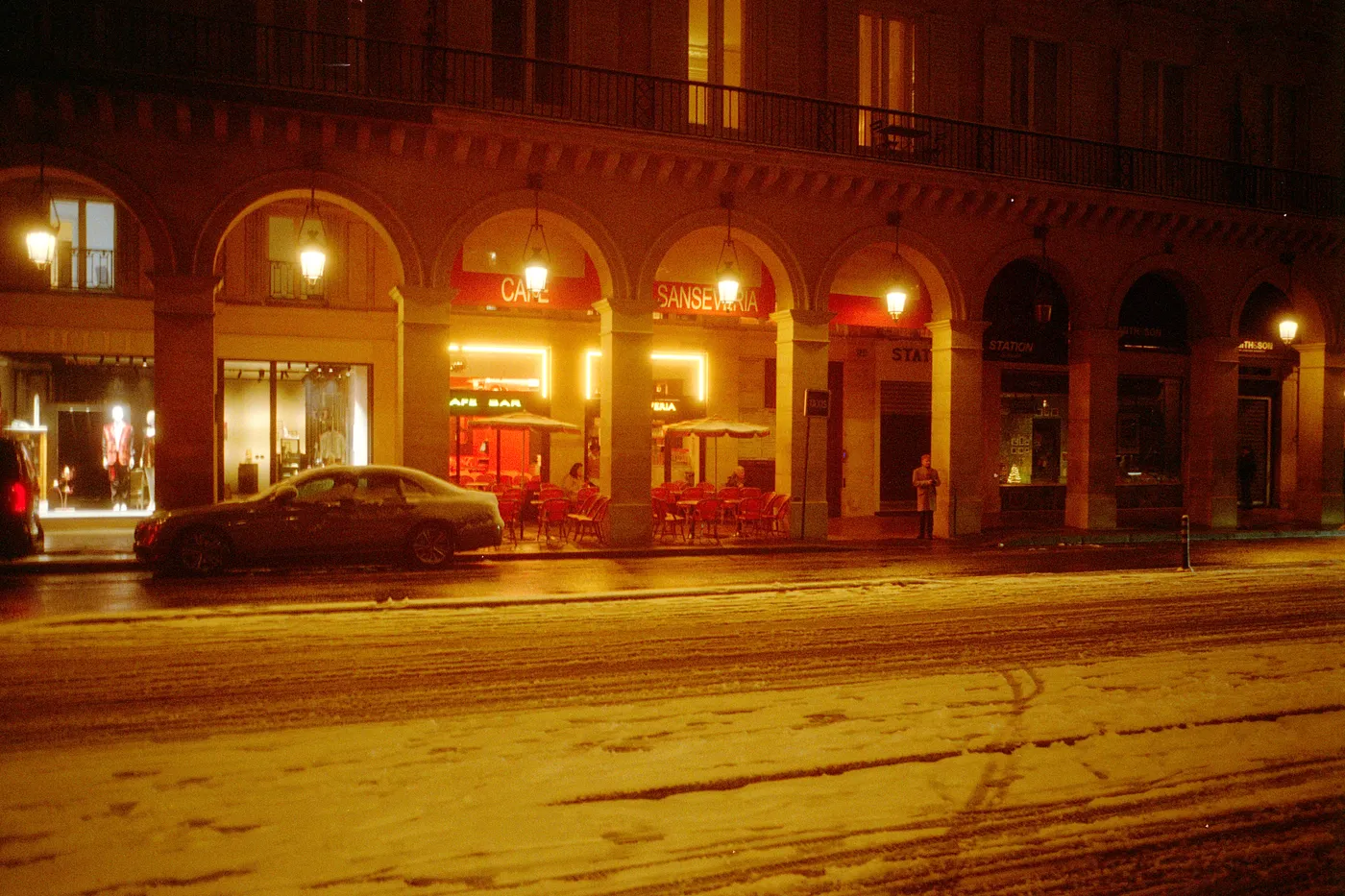
Snow night. Kodak Gold, converted in Open Negative Initiative.