What Open Negative Initiative does
From your negative to your file. Measure your roll, convert it, clean it, keep it in your folders and export it.
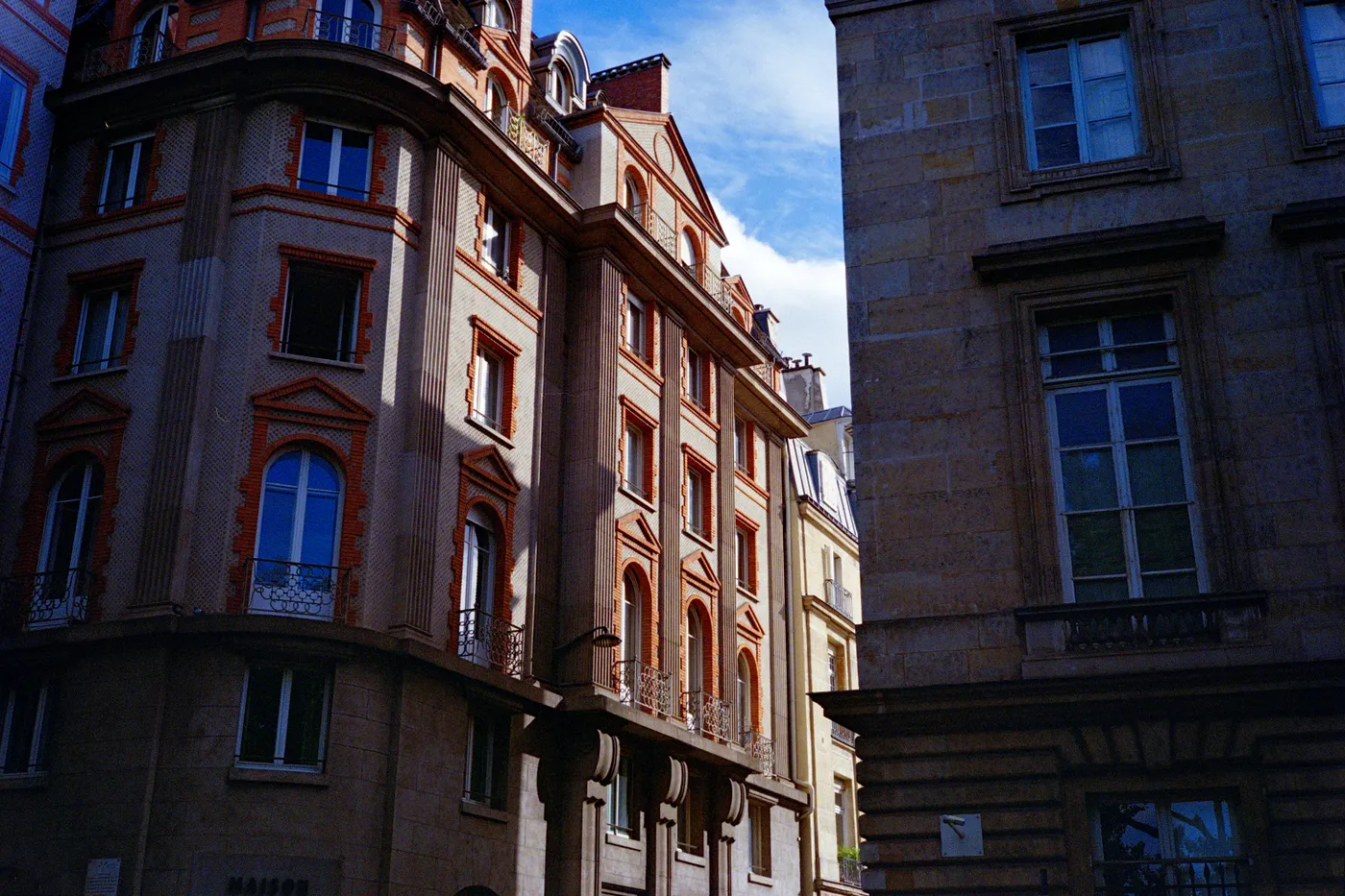
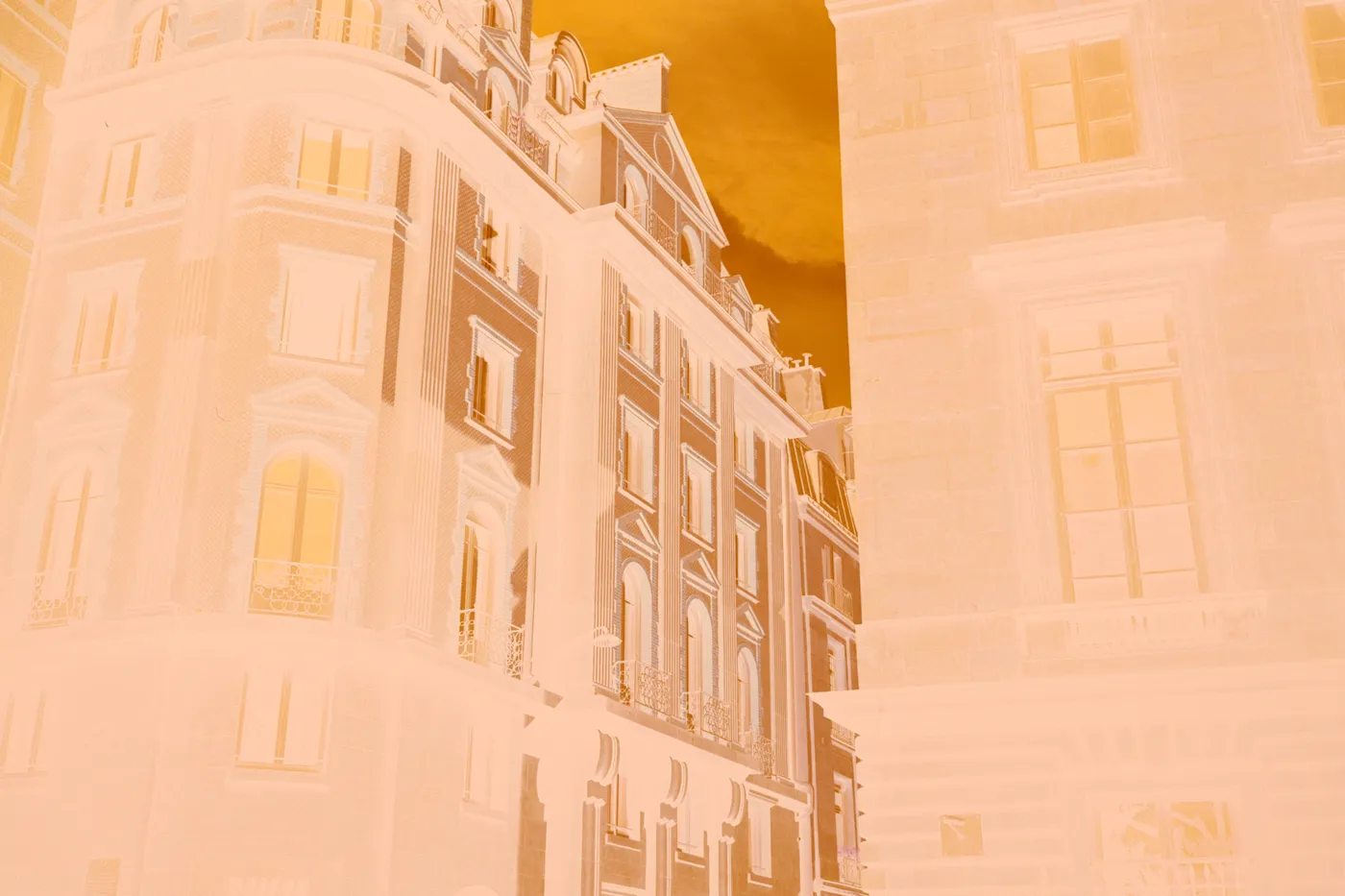
Paris facades, Kodak UltraMax, converted in Open Negative Initiative.
Convert your roll.
Measured once, converted in density. Then edited in the colour space your photos are exported in.
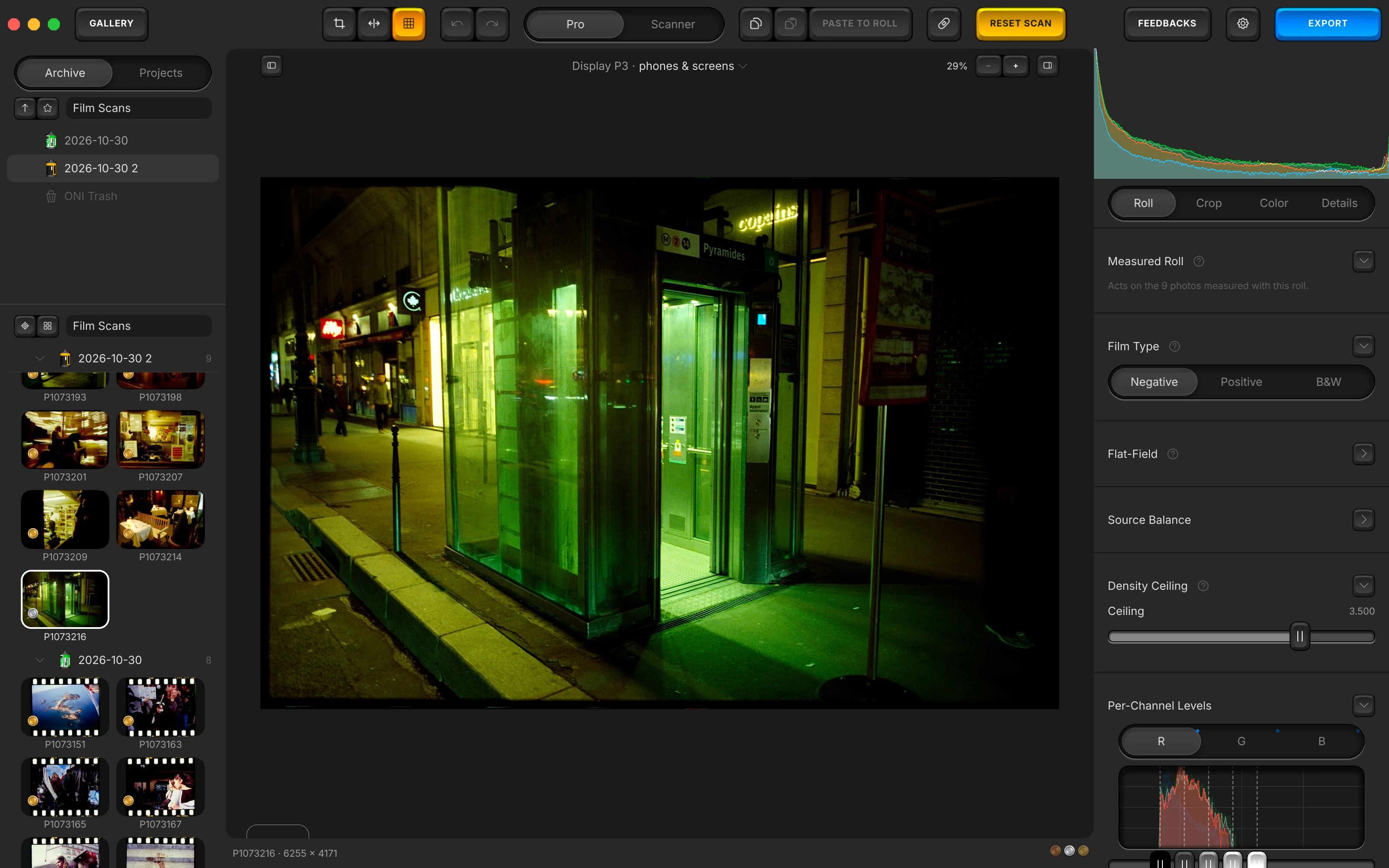
Measure your roll once. Prepare the Roll reads your frames together, and what it finds acts on every photo measured with that roll.
One measurement per roll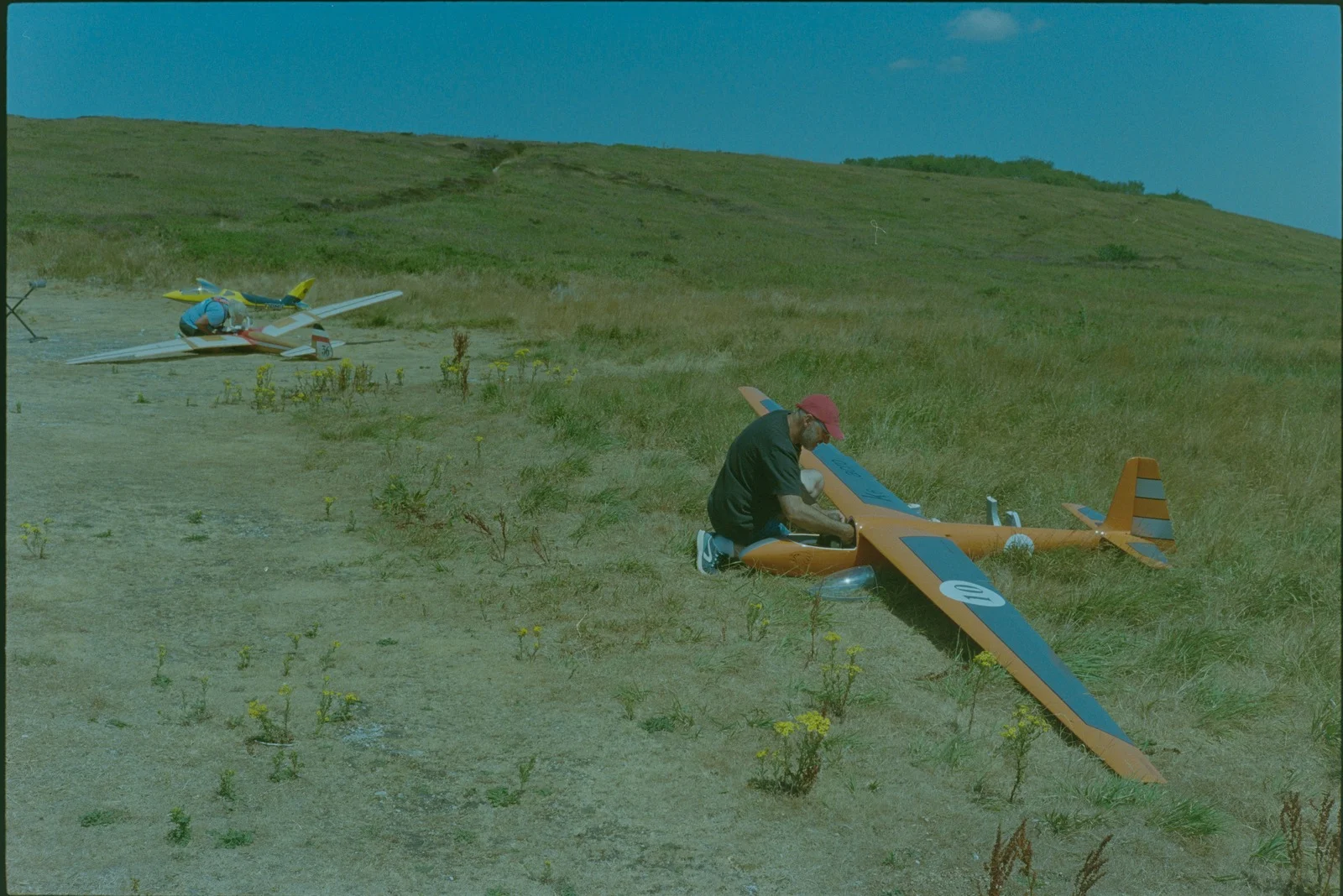
Inverted 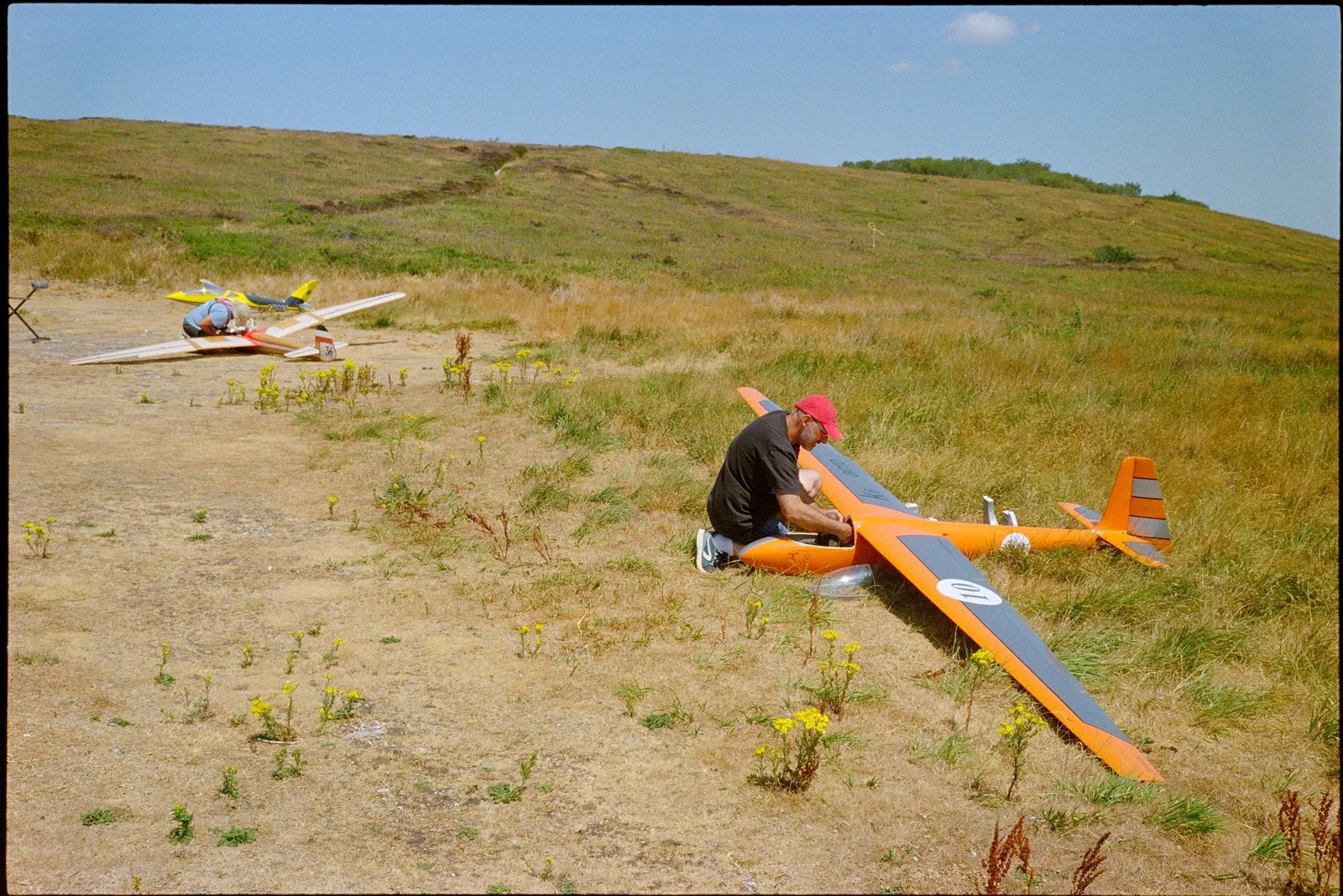
Converted Your negative, converted the way film records light. The conversion works in density, so every stop of your scene keeps the same room.
Density inversion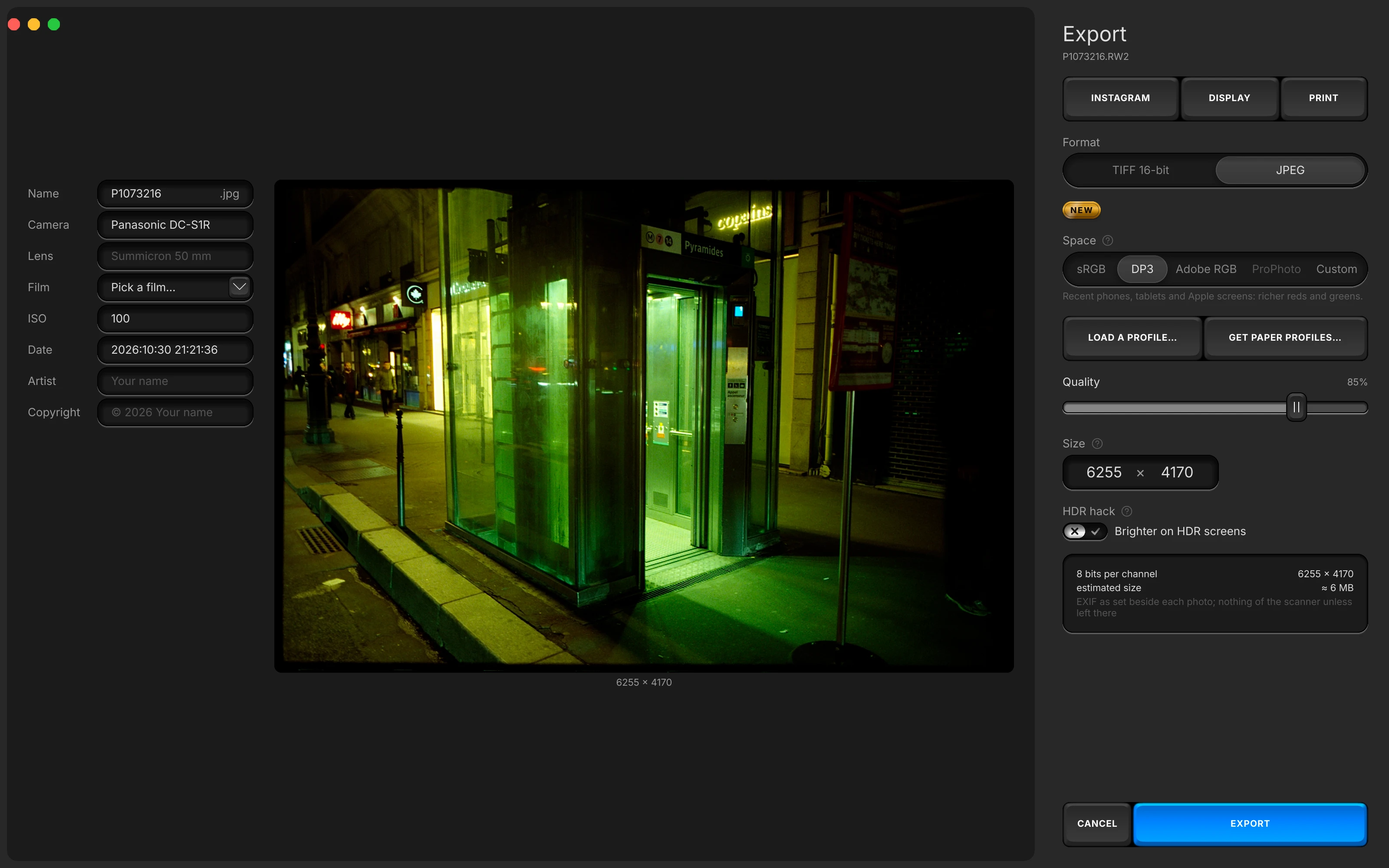
Edit in the space you export. sRGB, Display P3, Adobe RGB, ProPhoto RGB, or the ICC profile of your printing paper.
Colour management
Clean your frames.
Dust under a brush, colour noise under a slider. The grain of your film stays.
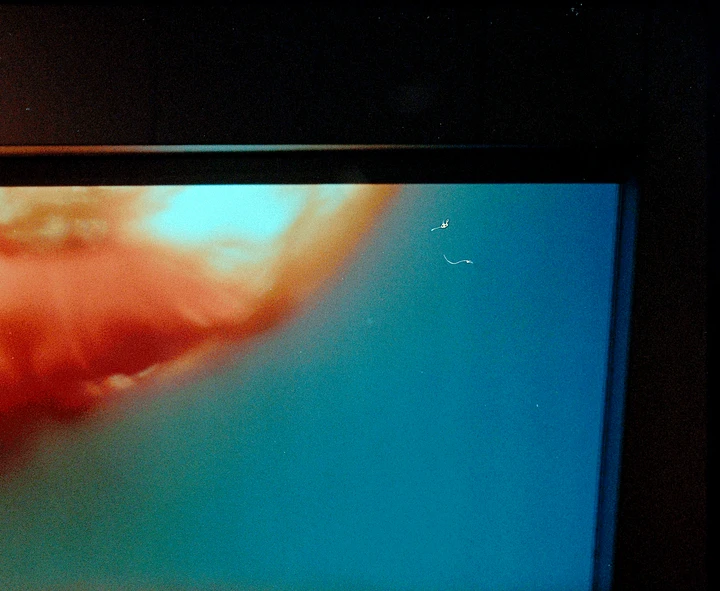
Before 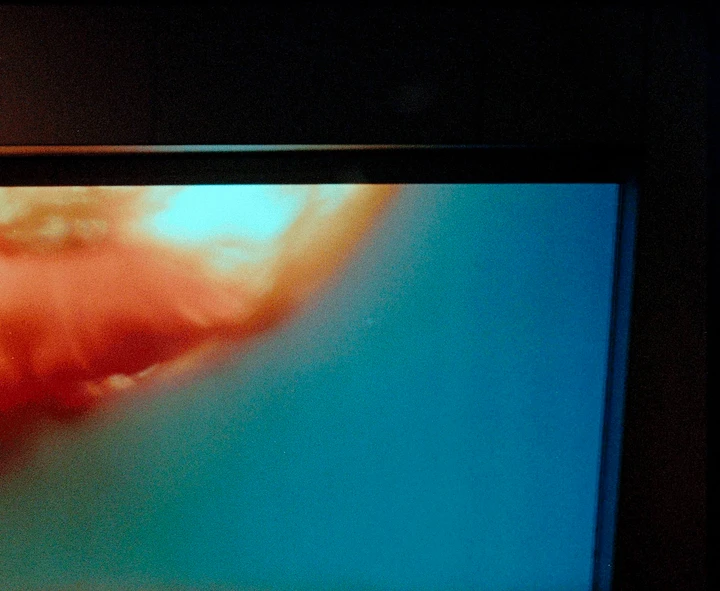
After two brush strokes Brush the dust off. Paint over a speck or a scratch, and the app fills it from a matching patch of the same frame.
Dust and scratches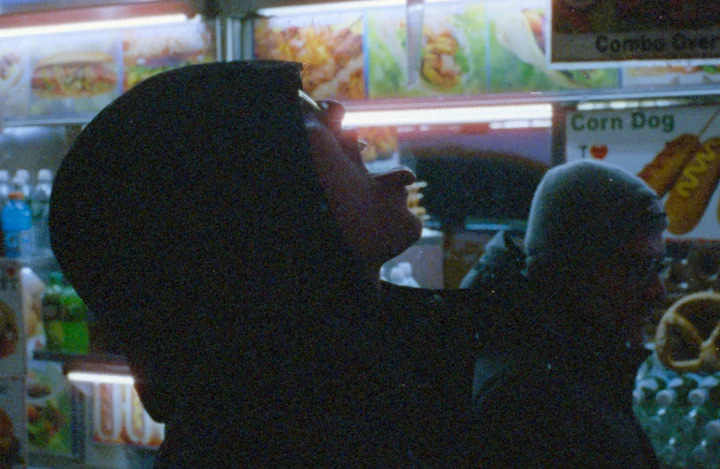
Slider off 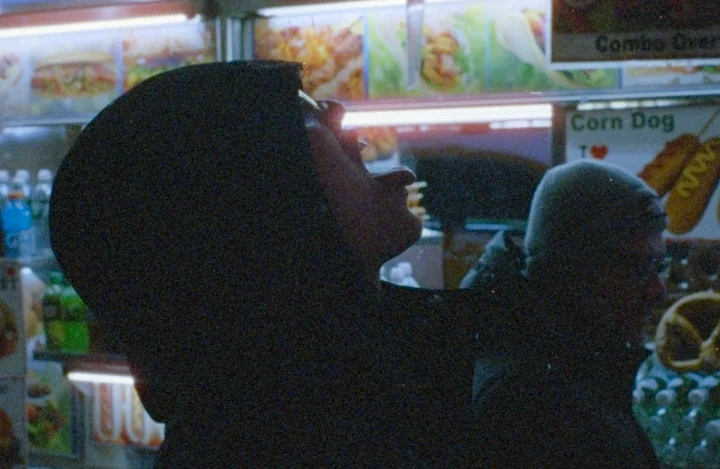
Slider on Colour noise goes, the grain stays. Chroma Denoise, in the Details tab, works on colour alone: the film grain of your scan is left as it was.
Chroma denoise
Keep, sheet and export your photos.
Your folders stay your archive. Edit a roll as one sheet, and export each photo with its own EXIF.
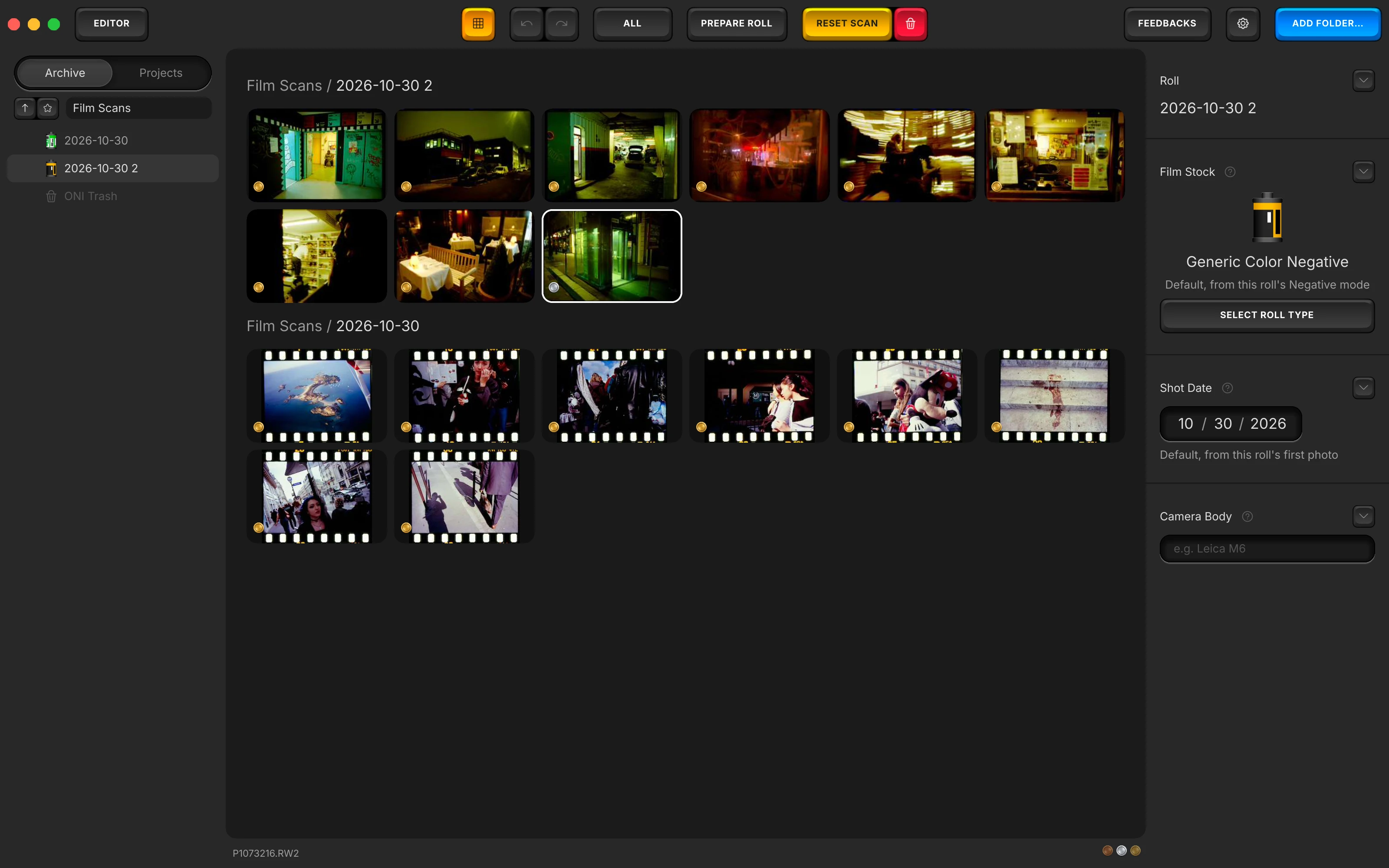
Your folders are your archive. Nothing is copied: each film becomes a roll, and a project gathers frames across rolls.
Archive and Projects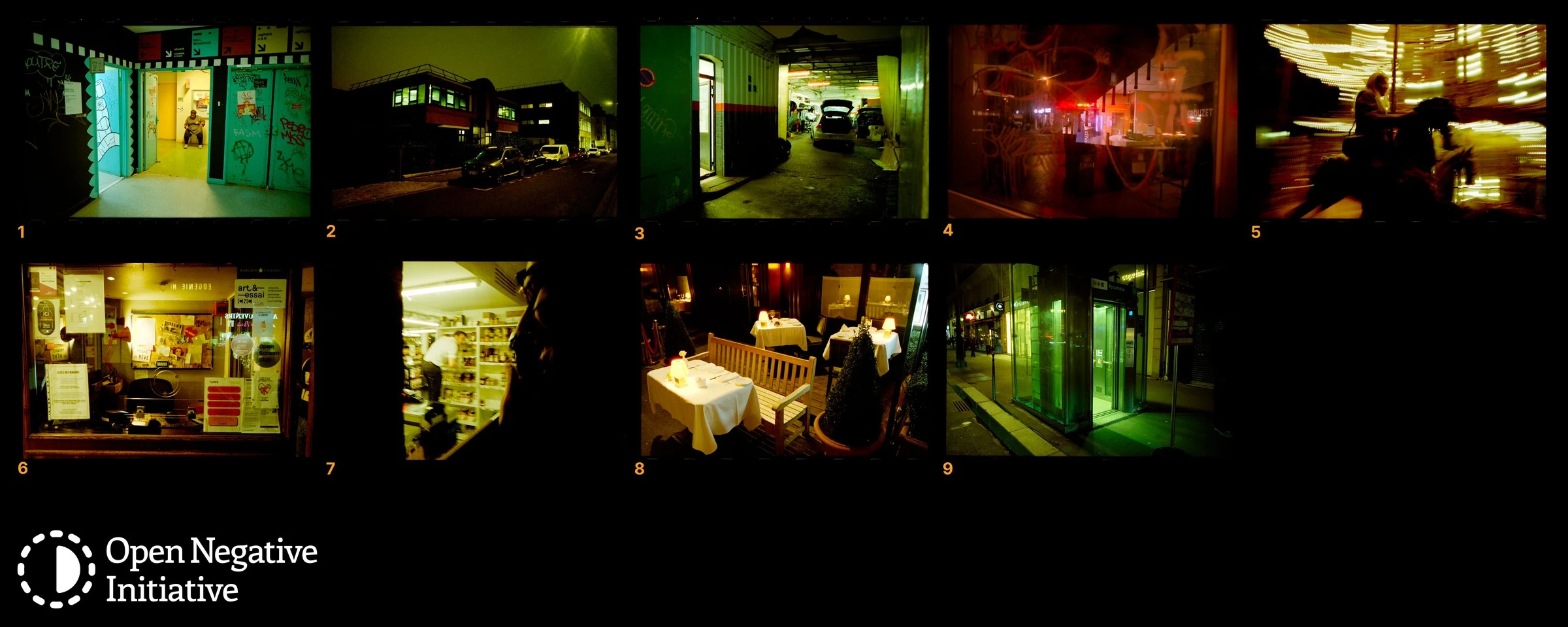
Edit your roll as one sheet. Open the frames you select together, five to a row: each change reaches all of them, and the sheet exports as one file.
Contact sheetsYour camera, lens and film, in the file. TIFF 16-bit or JPEG, with the camera, lens, film, ISO, date, artist and copyright you type for each photo.
Export and EXIF
And the rest of your editing.
Color and Crop, in the manual. And what the app leaves to you.
What can I change in the Color tab?
It opens on Auto White Balance, which corrects your frame with Temperature and Tint, and Color density, the same control as saturation. Lighting follows, with Exposure, Highlights, Shadows, a White point and a Black point; then Effects, with Contrast, Vignette and, in colour, Chrome. The Color tab, in the manual.
How do I crop and straighten?
Crop and Straighten (⌘K) frames your photo at Free, 3:2, 4:3, 1:1, 6:7 or 5:4, horizontal, or vertical with the Vertical switch; Straighten sets the angle, and Rotate & Mirror turns it by quarter turns and mirrors it either way. The Crop tab, in the manual.
Where does it run, and how does it file my photos?
On your Mac and on your PC: macOS 13 or later on Apple Silicon or Intel, or Windows 10 or 11 (64-bit). Your folders, rolls and projects are the whole structure, so a photo is where you filed it.
Every feature, in the order you work.
From your scan to your print. One line for each thing the app does with your film, each linked to where the manual explains it.
Open your scans
- Opens your folders where they are: every photo of a folder and its subfolders shows in place, on your disk.
- Opens camera RAW files in about forty formats (NEF, CR2, CR3, ARW, RAF, DNG, RW2, ORF, PEF, IIQ, 3FR, X3F and more) through LibRaw, in the same colours on Mac and on Windows.
- Converts the Nikon High Efficiency RAW files of a folder (HE and HE* NEF) to lossless DNGs in one click, through Adobe DNG Converter, which it downloads from Adobe and installs for you when it is missing.
- Opens scanner files too: linear DNG and linear TIFF scans, and JPEG, PNG, TIFF, GIF, BMP and WebP.
- Opens large 16-bit TIFF scans, 45 megapixels and more, in the editor and in Prepare the Roll.
- Tells you why a scan cannot be read, on its card in Prepare the Roll, with a Convert to DNG key when it is a Nikon High Efficiency RAW.
- Reads an untagged file, such as a scanner's raw TIFF, as sRGB, Linear or Display P3, as you choose (Source Encoding).
- Decodes RAW files at full resolution, or at half size for speed, as you set it.
- Reads three shots of one frame under red, green and blue light (RGB Passes) as one frame: it groups the files, reads their order, lets you drag it, and registers the red and blue passes on the green one.
- Keeps favourite folders, lists every disk and your home folder, and holds the place of a folder on an unplugged disk until the disk returns.
- Follows a moved or renamed file by its fingerprint, and offers Locate… to find a folder at its new place.
- Watches the open folder for changes made in other apps, and Refresh (⌘R) tells you what was added, removed or missing.
Make your rolls
- Groups the frames of one film into a roll: make a folder a roll in place, or move selected photos into a new roll folder named after their earliest capture date.
- Guides a new roll from the sidebar: select the frames, name the roll, pick its stock, make it.
- Moves frames into a new roll folder after asking, with each sidecar and the side files other apps keep, and ⌘Z puts them back.
- Takes frames out of a roll with Ungroup, every file staying in its folder.
- Records your roll's film stock from a catalogue of 41 stocks by brand (Kodak, Fujifilm, Ilford, Harman, Foma, CineStill, AgfaPhoto, Lomography, Lucky, Mira and generics), picked by you.
- Sets the matching dye family (Kodak C-41, Fuji C-41, Generic C-41, ECN-2 or E-6) when you pick a colour stock.
- Stores your roll's shot date and camera body, and writes the stock and the body into the EXIF of your exports.
- Marks each roll in the folder list with its film stock's artwork.
- Keeps each roll in a small hidden file inside its folder, so the roll travels with the folder.
Prepare your roll
- Measures your whole roll at once in Prepare the Roll, five guided steps: film, flat-field, film base, frames left out, measuring frame.
- Opens Prepare the Roll by itself on the first frame you open from an unmeasured roll.
- Plays a short looping clip of the gesture on three steps: film base, flags and measuring frame.
- Asks what digitised your roll: a scanner, a camera over a light panel (DSLR Scan), or three shots per frame under red, green and blue light (RGB Passes).
- Evens out your light panel with a flat-field taken from a shot of the empty panel, applied first, whatever the crop.
- Keeps your flat-field masks for every later roll, loads one from any picture of the empty panel, and gives the correction Amount, Temperature and Tint.
- Takes the film base from your click on bare film, with a loupe at full resolution and a picker from 2 to 24 px.
- Lets you flag frames (light leaks, a cut first frame, extreme shots): they are converted with the roll while the measurement reads the others.
- Reads every frame through one measuring window, placed once and checked on each frame with a slider.
- Sets the roll's colour on the median of its frames and its ends on a trimmed median, so the roll follows its typical frames and a tinted or fogged frame follows the roll.
- Reads each frame's shutter speed, aperture and ISO, warns you when frames were digitised with other settings, and evens their exposure out to the roll's.
- Shows and measures every scan uncropped while you prepare, and resumes a preparation at the step you reached.
- Writes the measurement on every frame of the roll as one undo step, and opens the editor on your roll already converted.
- Balances a roll of slides on a white or grey you click on one slide, a cloud, a wall or the bare light through a sprocket hole: its colour turns neutral, its brightness stays, and every slide takes the same gains.
- Keeps a roll of slides at the camera's 5500 K when you skip the white.
Convert your film
- Converts colour negatives, slides and black and white film, the film type set per roll.
- Decodes RAW files into a scene-linear, floating-point, wide-gamut working space before the conversion.
- Inverts your negative in optical density, channel by channel, density being the negative base-ten logarithm of transmittance.
- Places each channel's window over the roll's measured densities, with five handles per channel (Black, Shadows, Midpoint, Highlights, White) you can move by hand.
- Lets a negative's black point sit below zero density, on a track that starts at −0.35.
- Gives the densest parts of your negative their room with Density Ceiling: up to 4.0 on a camera RAW, up to 2.6 on a scanner file.
- Hands you the conversion's three channel gains in EV, ±3 EV each (Source Balance), opening where the roll's measurement set them.
- Separates your film's dyes: it subtracts each dye's spill into the other two channels, so colours separate while greys hold (0 to 200 %, resting at 60 %).
- Knows five dye families: Kodak C-41, Fuji C-41, Generic C-41, ECN-2 for cine film and E-6 for slides.
- Applies every setting of the Roll tab to the whole roll: moved on one photo, it reaches every photo measured with it, each keeping its own look, in one undo step.
- Lets the photos of the folder left out of a measurement join the roll, or makes the measured photos a roll of their own.
- Sets a slide's colour cast with two sliders in Source Balance, Blue ↔ Amber and Magenta ↔ Green, each one holding the other.
- Decodes slides at 5500 K.
- Carries over colour photos converted in its earlier Swift versions, matching each camera once so their colours look the same.
Set colour and light
- Sets neutral light in one click with Auto White Balance, which reads the frame as it prints, its bright areas weighing more than a large warm subject, and writes Temperature and Tint.
- Runs Auto White Balance when you press it, and leaves its result on the two sliders for you to adjust.
- Balances several selected photos each for itself, or averages one correction for a series shot in one light.
- Lets a roll take a share of each photo's automatic correction (Balance Strength, resting at 67 %).
- Moves colour alone with Temperature and Tint, brightness held.
- Brightens a full stop per EV in the shadows with Exposure, while the highlights roll smoothly toward white (−4 to +4 EV).
- Couples colour to light when you change exposure (Hunt compensation): brighter prints less saturated, darker richer, on colour film.
- Sets Highlights and Shadows (±0.50), and a White point and a Black point that move the ends of the scan itself.
- Bends the tones into an S about middle grey with Contrast, both ends held (±0.50).
- Darkens or lightens the corners in stops with Vignette (±2 EV), keeping their hue, and gives a darkened corner back the chroma it lost.
- Lays a saturation curve over the picture with Chrome, greying the ends of the tones and keeping colour in the middle (0 to 150 %).
- Sets saturation with Color density while keeping luminance: every channel raised to a power, then the luminance restored.
- Draws Curves on five channels: RGB, Luma, R, G and B.
- Shifts eight colour ranges one at a time on a wheel (Spectrogram Finishing): hue, saturation and luminance per range, from the mouse or the arrow keys.
- Sets saturation by tone with a five-point Saturation Curve from black to white, brightness held.
- Corrects for your printing paper: on a paper profile, three gains laid last, and Auto Paper Correction reads the paper's white off its profile so a grey prints as grey.
- Shows a live histogram of the picture, read inside the measuring window.
- Compares your photo with its imported state (Compare Before/After), dust still healed.
Frame your photo
- Crops at 3:2, 4:3, 1:1, 6:7 or 5:4, locked, or free; straightens ±8°, turns by quarter turns and mirrors.
- Copies and pastes a crop by itself (Copy, Paste and Paste to Roll in the Crop tab), apart from the settings.
- Draws a measuring window apart from the crop, where Auto White Balance and the histogram read.
- Hides the library or the panel to give your photo the width (⌥⌘[ and ⌥⌘]).
- Zooms to 100 % with a double click, and can keep the zoom from photo to photo to compare grain across a roll.
Print through a lab scanner
- Gives every photo a second face, Scanner, switched from the bar: a lab scanner's machine and keypad in place of the slider panel.
- Offers two machines on the Scanner face: ONI, the app's own conversion, and Frontier, which reproduces the colour of a Fujifilm Frontier lab scanner, measured on the machine.
- Renders Frontier through a measured 3D table of 27 nodes a side, reading each channel's density above the film base.
- Corrects as a lab operator does: D for density, C, M and Y toward a colour, each click a density step measured on the machine.
- Runs D, C, M and Y from −24 to +24 in half units, Shift moving three steps, and TEMP from −10 to +10 for warmth.
- Shows a scanner screen in place of the histogram: the frame's place on the roll, machine and film, every letter's count and the finish's readings.
- Keeps the Scanner face's own finish (Contrast, Vignette, Chrome, Curves, Spectrogram, Saturation Curve), so each face keeps all your work.
- Exports the Frontier look as a standard .cube LUT, uses a LUT you edited in any LUT tool and reloads it on every save, or returns to the measured one.
- Prints a slide on the Scanner face too (FRONTIER · POSI).
Bring out the detail
- Sharpens on brightness alone, so edges keep their colour, with Amount, Radius in the file's own pixels and a Halo limit.
- Smooths your scan's colour noise after the inversion with Chroma Denoise, on by default, and the film grain stays.
- Adds or removes contrast at the scale of hair and fabric with Texture, grain and overall tone staying as they are.
- Shows a loupe at the file's full resolution at the head of the Details tab, to judge sharpening and noise in source pixels.
Clear dust and scratches
- Clears dust and scratches with a brush: paint over a defect and ONI covers it with a patch copied from the same photo.
- Finds the patch by searching the photo for the place whose surroundings best match your stroke, coarse then fine, to the pixel.
- Matches the patch's tone to its new place with a bias that varies across it.
- Marks a loosely matched patch with a question mark, so you can paint it again.
- Keeps every correction as an editable list on the photo, with a brush from 4 to 120 px; each correction starts from your stroke.
- Keeps dust corrections on their own negative, through pastes, presets and resets.
Edit frames together
- Edits several frames at once: selected frames open together on one sheet, and every adjustment on the open frame lands on all of them in the same undo step.
- Keeps each frame's own crop, dust, film and roll measurement when frames are edited together.
- Shows a folder's photos, or a whole measured roll, together on one sheet, each numbered by its place on the film.
- Selects and shows a whole roll together with one key (⌘A).
- Copies a photo's Color and Details settings and pastes them on a selection, or on every photo of the roll with PASTE TO ROLL.
- Asks before pasting one roll's look onto another roll.
- Keeps copied settings through a relaunch, and carries them on the system clipboard.
- Applies a preset, a reset, a film type or Auto White Balance to every selected photo as one undo step.
- Lays one flat-field on other selected photos (Apply to Selection).
- Counts what a gesture will act on in its title, for example Paste Settings to 12 Photos.
Save your looks as presets
- Saves a look as a preset, one JSON file of its own, with a name, a colour and a description.
- Carries the settings you tick in a preset: eighteen switches in four blocks (Settings, Color, Details, Scanner).
- Carries white balance in a preset as you choose: copied gains and levels, Auto White Balance run on each photo, or each photo keeping its own.
- Leaves each photo's crop, straightening, rotation and film type in place when a preset applies.
- Previews a preset on your photo while the pointer hovers its card.
- Shares a preset as a file, or as one checksummed line of text to paste in a message (Copy Preset Code, Paste Preset Code).
- Imports preset files someone sent you, and updates, duplicates or deletes a preset (to the system Trash).
- Saves a preset on the Scanner face too, carrying the keypad, the machine and the finish.
- Applies presets from the gallery as well, through the Settings menu, to the selected photos.
Proof for screen and paper
- Edits in the space you export in: the canvas is drawn as the export will write it.
- Soft-proofs on a printer or paper profile, showing the paper's own white and its ink's black, with an option to show colour variation alone.
- Converts into a paper profile with relative colorimetric intent and black point compensation.
- Installs printer profiles from .icc and .icm files, or from the zip a paper maker ships.
- Lists where twelve paper makers and labs publish their profiles (Hahnemühle, Canson Infinity, Ilford Galerie, Moab, Awagami and more), linking to each maker's own page.
- Stripes the colours beyond your screen's gamut, like a camera's zebra (⇧⌘Y).
- Uses Little CMS for ICC profiles, the same engine on Mac and Windows.
Export your photos
- Exports 16-bit TIFF, uncompressed or with lossless ZIP, and 8-bit JPEG.
- Exports in sRGB, Display P3, Adobe RGB or ProPhoto RGB (on 16-bit TIFF), or into a printer or paper ICC profile.
- Embeds the ICC profile of the chosen space in every TIFF.
- Fills every field from three export presets: Instagram (JPEG, sRGB, 92 %, 1440 px short edge), Display (JPEG, Display P3, full size) and Print (16-bit TIFF, Adobe RGB, ZIP).
- Resizes on the edge you type, as a ceiling for the whole batch, and keeps smaller photos at their own size.
- Writes an HDR JPEG with a gain map read by Apple and Ultra HDR readers: an HDR screen shows the picture up to two stops brighter, and every other reader shows the same picture.
- Writes the EXIF fields you state: camera, lens, film, ISO, date, artist and copyright.
- Picks the Film field of the EXIF from its stock catalogue.
- Exports a selection as one contact sheet, five frames to a row, numbered by their place on the roll, on black, or on white when every frame is a slide.
- Estimates the file size or the batch's total before writing, and flags an 8-bit source.
- Previews the export in the chosen space and profile before writing.
- Exports in the background beside the editor, with a card counting the files and a Stop key.
- Keeps your originals safe on export: it replaces a file it wrote itself, and gives a new name beside any other file.
- Names each exported file from the line beside its preview.
- Exports on ⌘E from anywhere in the app.
Keep your archive
- Keeps your original files as they are: each photo's settings live in a small JSON sidecar beside it, which moves with the photo.
- Writes sidecars in plain JSON you can read and edit, the one source of truth, and rebuilds the library's index from them.
- Opens a sidecar written by a newer version read-only, keeping it intact.
- Keeps projects: ordered lists of photos gathered from any folder, with a name and a description, each photo staying in its own folder.
- Counts every film stock among a project's photos, stock by stock.
- Labels photos None, Bronze, Silver or Gold with the bare keys 0 to 3, and filters the gallery by label with ⌘L.
- Sets photos aside in the ONI Trash with every file left in its folder, and Restore puts them back in their folder, roll and project.
- Undoes up to 200 steps per photo, and one undo takes back a gesture made on a whole roll or selection.
- Resets a photo to its imported state while keeping its crop, conversion and dust corrections (RESET SCAN, ⇧⌘R).
- Takes whole rolls back to unconverted with Reset to Default…, keeping crops, dust, flat-fields, labels and EXIF.
- Keeps thumbnails in a durable folder, so the gallery shows them at once across thousands of photos.
- Keeps a journal of your year on film on your computer, and shows it as a summary (Show My Year on Film).
Run it on your computer
- Free, with every feature open from the first launch, and nothing to install underneath.
- Open source under the GPL-3.0 license, written in a public repository, each release shipping its source.
- Runs on macOS 13 or later on Apple Silicon or Intel, and on Windows 10 or 11 (64-bit).
- Renders on the GPU through wgpu, the same pipeline on Mac and Windows.
- Checks for updates by itself on Mac and on Windows, and installs one in a click after verifying its EdDSA signature, keeping the previous version ready if the swap fails.
- Shows a short demo clip for every "?" help note, filmed from the real controls over the real render.
- Speaks English, French and Spanish, following your system's language or your choice.
- Reaches every gesture of its bar from a menu, with keyboard shortcuts (⌘ on Mac, Ctrl on Windows).
- Plays a key click you can mute from the View menu.
- Shows what is new in each version at first launch, and again from the Help menu.
- Sends a bug report or an idea from the app as a public GitHub issue, with the attached log encrypted for the maintainers.
- Names photos, folders and disks in its logs by a session token.
- Logs a freeze of the interface while it lasts, and leaves a trace after a crash.
- Holds its library for one running copy at a time, so a second launch leaves the first one's work intact.
- Ships LibRaw as published, under its own licences.
Convert your first roll tonight.
Add your folder, prepare the roll once, export. Free, and nothing else to install.
- Mac
- macOS 13 or later on Apple Silicon or Intel
- Windows
- Windows 10 or 11 (64-bit)
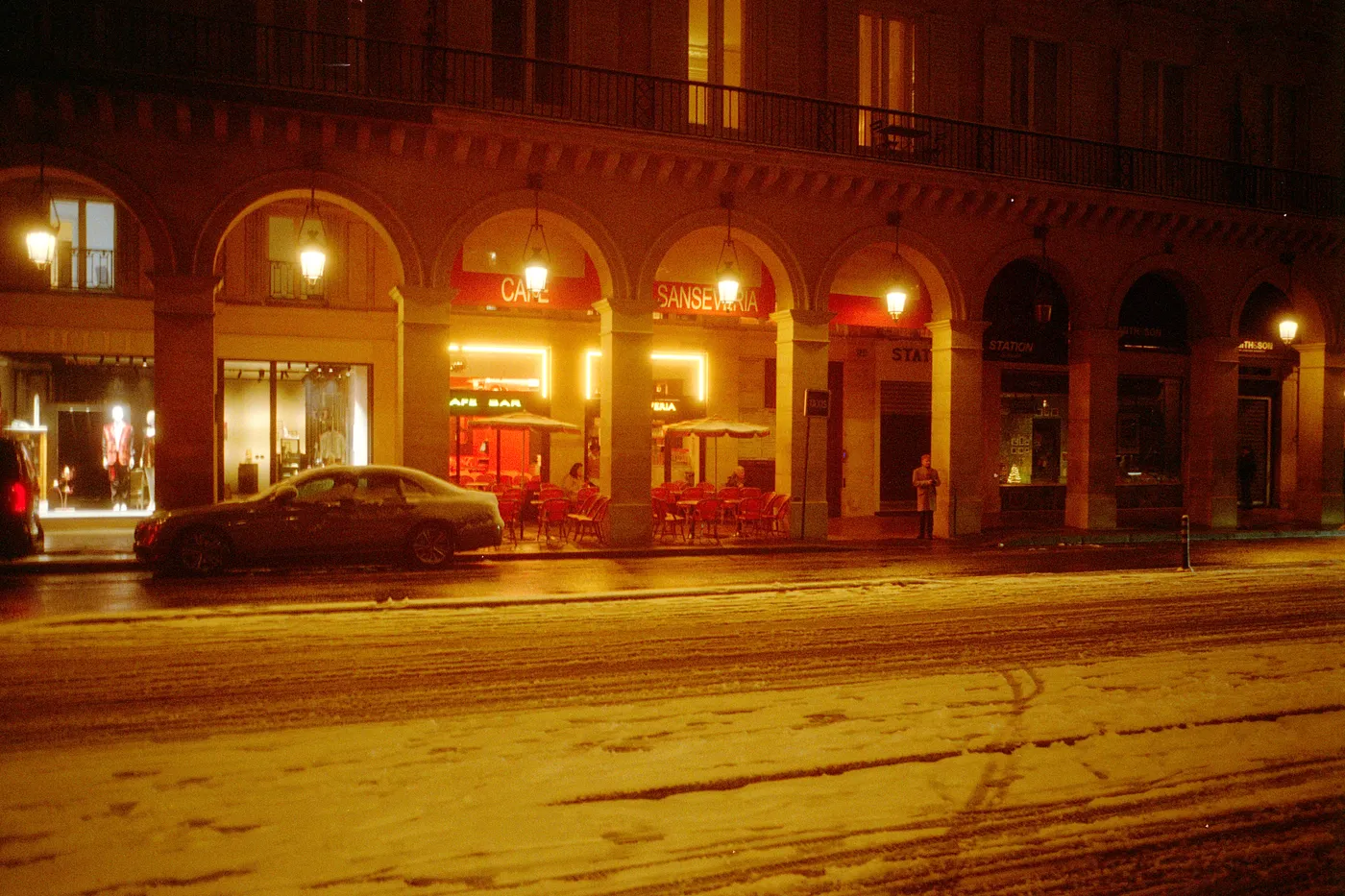
Snow night. Kodak Gold, converted in Open Negative Initiative.