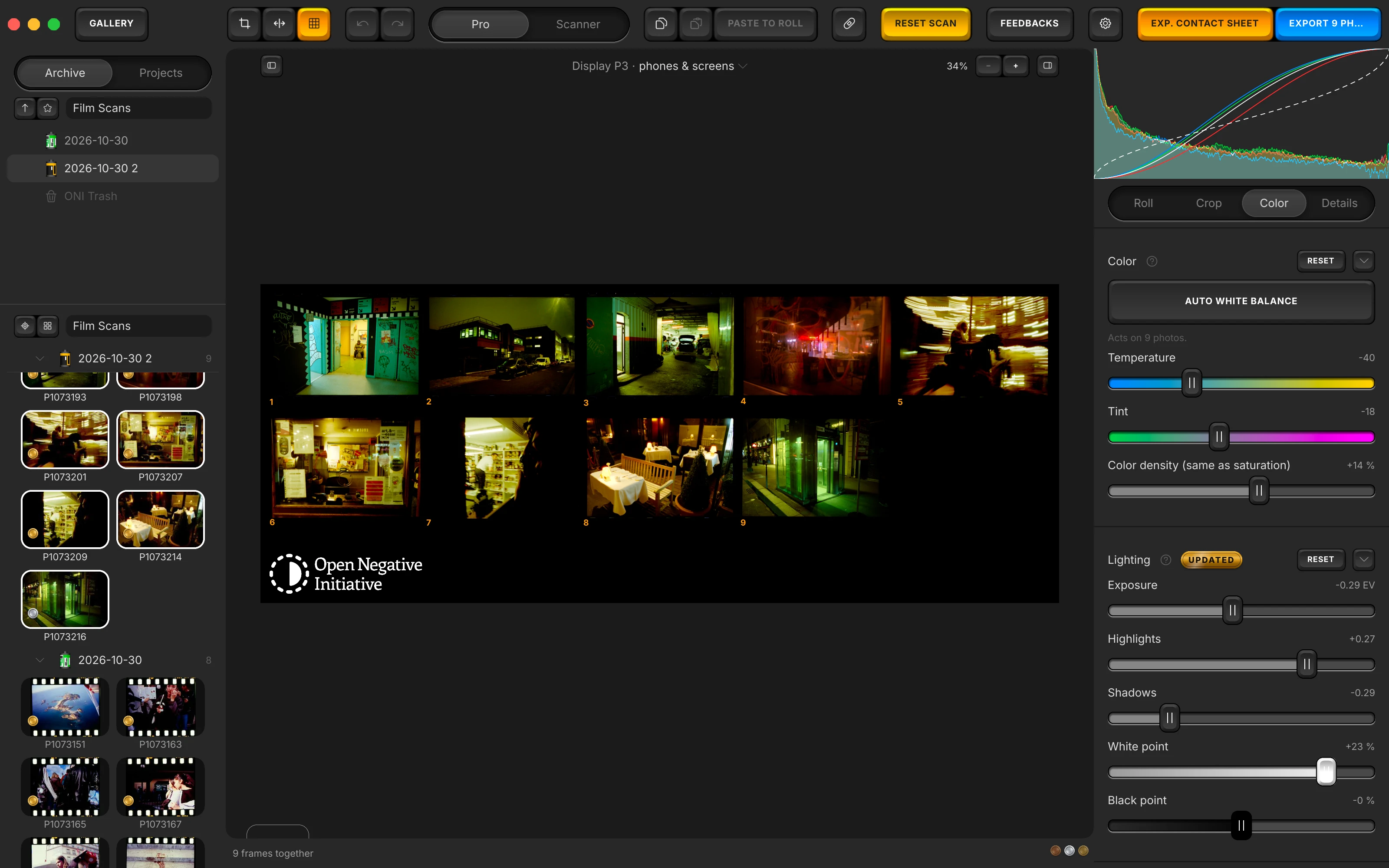
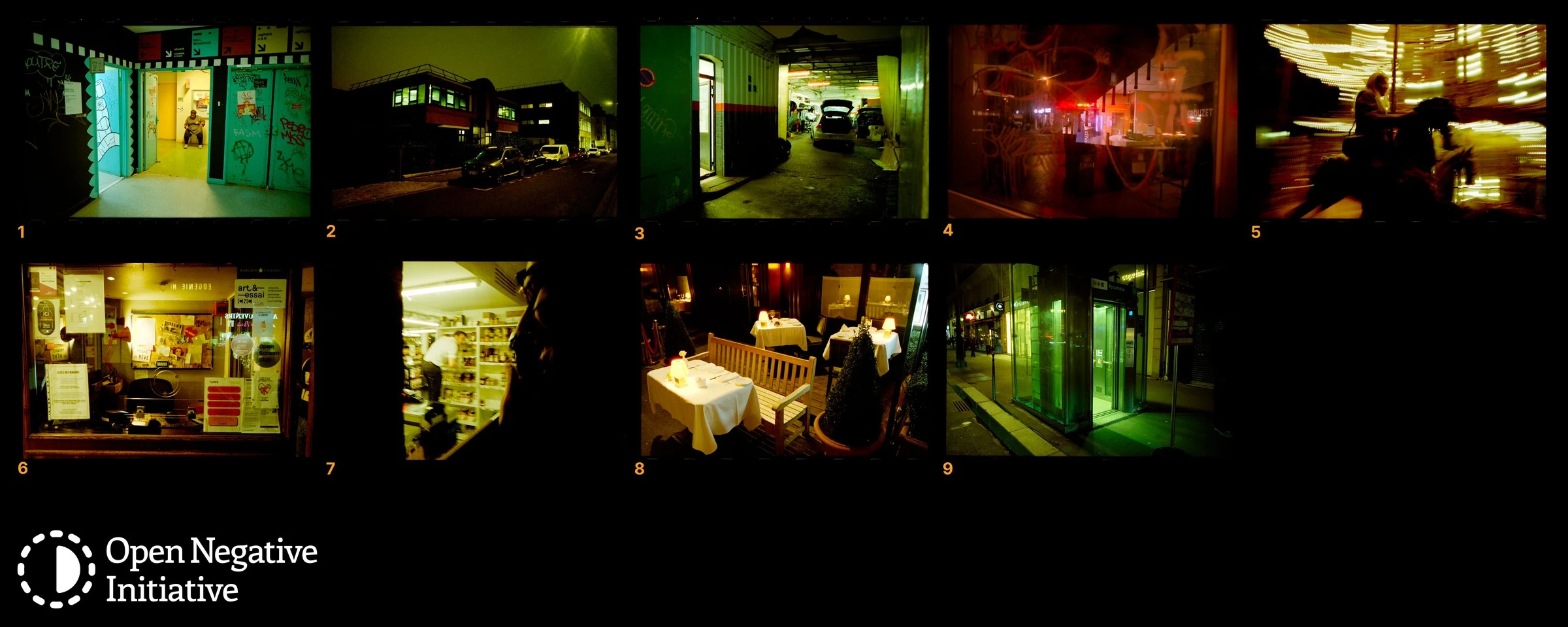
What it does. Select the frames of a roll and make a contact sheet from them. The frames are laid six to a row in a single scene-linear TIFF, which opens like any other photograph, so one balance and one set of curves cover the whole roll at once. When the sheet looks right, copy its settings and paste them onto every frame in the roll.

The contact sheet is one of the gestures in Open Negative Initiative, a free macOS application for converting and editing scanned film: colour negatives, positives and black & white, from a camera scan or a scanner. It runs on its own, with no host application to buy. A sheet is made from a selection, and making one changes nothing about the frames it was made from. macOS 13 or later. Apple Silicon and Intel.

Free, macOS 13 or later. A contact sheet is one selection and one command away.

A roll is a thing, not a date

Frames are grouped into a roll with ⌘G, and the roll is named. That matters before any of the rest, because a film shot over a week and scanned over two evenings has no date that holds it together. The gallery cuts on rolls instead of capture days, so the roll stays one object however long it took you to shoot it and whenever you got round to scanning it.

A roll survives things that usually lose groupings: deleting the index, or moving to another machine. And a paste can never move a photograph out of one, which is what makes the next section safe.

What a sheet actually is

It is one photograph. The frames are laid six to a row, six being the number a strip of 35 mm is cut into, and written as a single scene-linear TIFF. That file is then imported like any other file you would open. Nothing about it is a special mode: it converts, it takes levels, it exports, and the controls acting on it are the same controls.

Two details of how it is built are worth knowing, because both were failures first.

  • The automatic balance reads inside the frames only. A window is placed on each cell, well inside its edges, so the gaps between frames and the film rebate never enter the measurement. Before that window existed, the orange of the rebate went into the quantiles of the whole sheet and dragged it off colour, which is the sort of error that looks like the conversion being bad at its job.
  • The gaps export black. A sheet then reads as a sheet, the way one looks on paper, instead of arriving as frames scattered on a white page.

The gesture, end to end

StepWhat you do
GroupSelect the frames of the roll and press ⌘G. Name it.
Make the sheetMake a contact sheet from that selection. It arrives as one more photograph.
Decide on the sheetBalance it, set the levels, set the look. You are judging thirty-six frames at once, which is the whole point: the decision is about the roll and not about one lucky frame.
Send it backCopy the sheet's settings, select the roll with ⌘A, and paste. Every frame now carries the answer you reached with all of them in front of you.

When to use this, and when not to

This site argues elsewhere, at length, that each frame should be measured on its own, and that pasting one measurement onto thirty-six pictures goes wrong the moment the exposure varies along the roll. That argument has not changed. A contact sheet is the deliberate exception to it, and the two are worth keeping straight.

Your rollReach for
One scene, one light, one sessionThe sheet. The frames belong together, and you want them to come out together. Judging them one at a time is how a roll ends up with thirty-six slightly different answers to the same question.
Exposure drifts along the stripSelect the roll and press one balance. It runs on every frame and measures each one separately, which is the case the sheet cannot serve.
You want bothDo the sheet first for the look, paste it, then run a balance per frame on the handful that did not come along. Framing never travels with a paste, so no crop you drew is at risk either way.
Why the sheet is a real file rather than a preview

A grid drawn on screen would have to reimplement every control to act on it, and would then be a second rendering path to keep in step with the first. Writing one scene-linear TIFF instead means the sheet is subject to the ordinary pipeline: the same inversion, the same levels graduated in density, the same export. There is nothing to keep in step, because there is only one path.

It costs what you would expect: a sheet takes time to write, and a forty-frame one takes noticeably longer than a small selection. Each stage of that work is named while it runs rather than hidden behind one bar.

Contact sheets and rolls as described in the release notes of the versions that introduced them; the layout, the measurement window and the black gaps are quoted from those notes. The changelog carries them in full.

Make one from your next roll

Group the frames, make the sheet, and balance the sheet before you touch a single frame. If you have never converted a negative at all, the six-step guide gets you to a finished picture first, and this is the step after it. macOS 13 or later. Apple Silicon and Intel.

This is one gesture out of roughly twenty-five controls. The whole list is the map of the rest.

GET IT

Free, no account, no trial limit. One selection makes a sheet, and one paste sends it back.