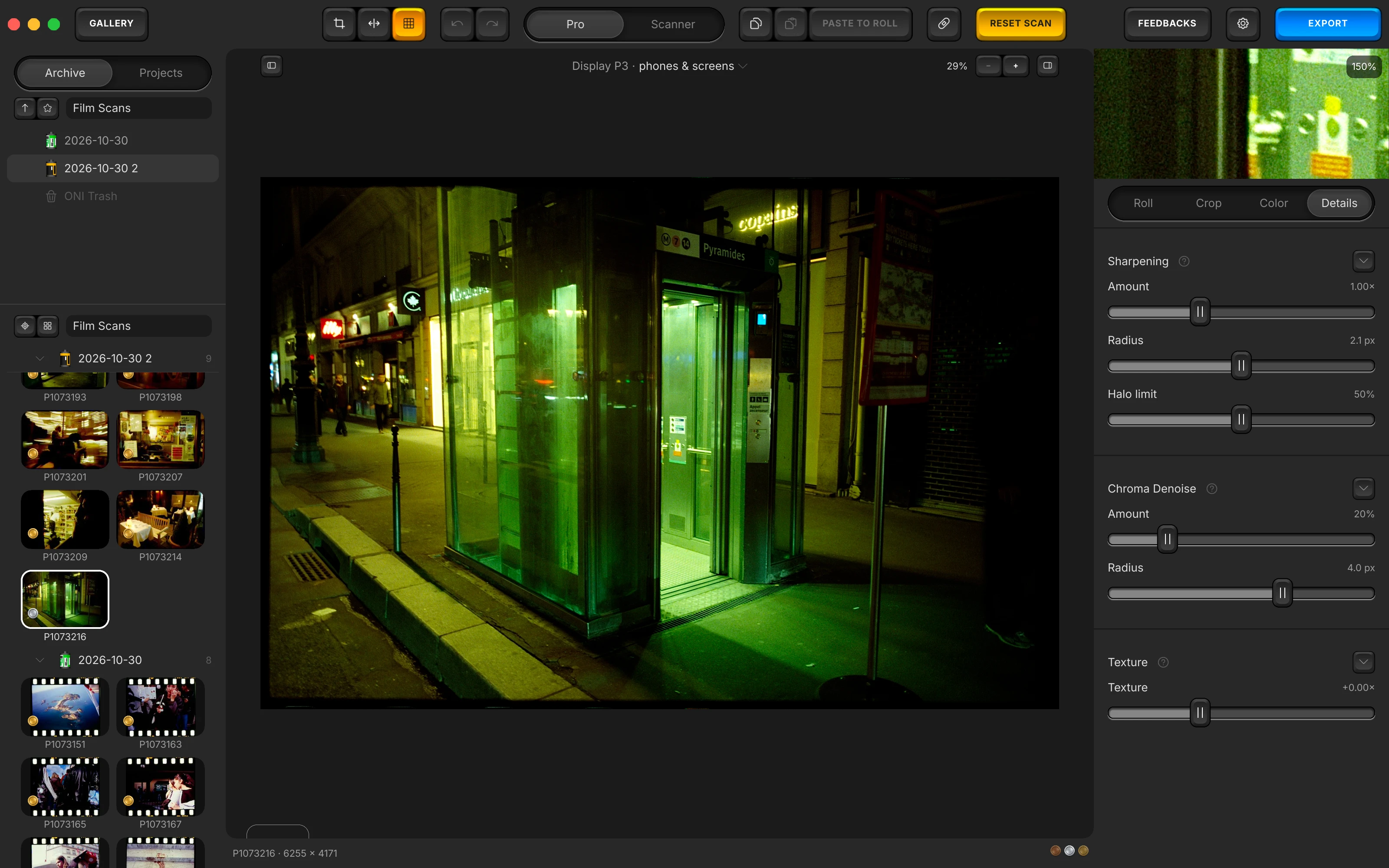
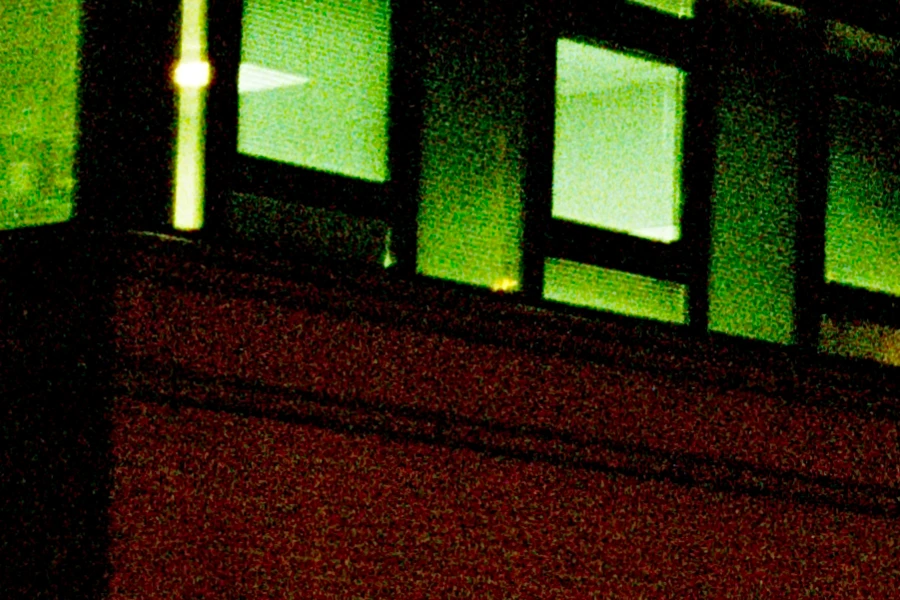
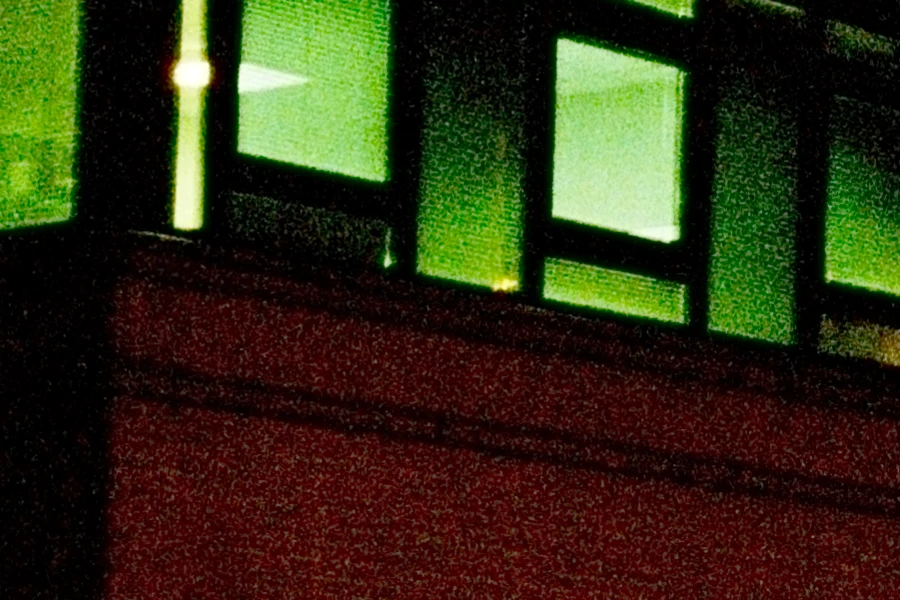
What it does. A colour picture splits into how bright each pixel is and what colour it is. Film grain lives in the brightness half; the coloured speckle a sensor adds lives in the other. This stage touches only the second, so the grain you shot film for cannot be damaged by it at any setting.
A scanned negative carries two kinds of noise, and they deserve opposite treatment. Grain is the silver structure of the film itself, and the reason many people shoot film at all. Colour noise is the speckle contributed by the sensor and multiplied by the strong per-channel gains that any negative conversion has to apply, especially to the blue channel. Most denoising removes both, because most denoising cannot tell them apart, which is the plastic look that makes a scan announce itself as a scan.
The stage described here is one of the finishing controls in Open Negative Initiative, a free macOS application for converting and editing scanned film: colour negatives, positives and black & white, from a camera scan or a scanner. It runs on its own, with no host application to buy. This particular control rests at zero until you move it. macOS 13 or later. Apple Silicon and Intel.
Free, macOS 13 or later. No account, no trial limit, no watermark.
The luma comes out bit-identical
The stage splits the image into luminance and chroma, works on chroma only, and recombines. The luminance channel is never read and never written. It comes out of the stage bit for bit identical to what went in.
That is a guarantee of construction, not a setting dialled carefully. Grain lives almost entirely in luminance, so there is no dose at which this stage starts eating the film's texture: there is no path from this stage to the channel the texture is in.


Why it runs after the inversion, not before
The stage sits after the inversion, at the head of the finishing group, and that is what keeps it from manufacturing fluorescent rims along your edges. It looks like the wrong place (surely you clean a signal before transforming it) and it is not.
What happened when I put it before the inversion, measured across 23 files
Placed before the inversion, the stage transplants a neighbouring pixel's absolute colour onto a pixel, and that pixel then meets the logarithm. A blue value pushed under the numerical guard (the floor beneath the pedestal that catches whatever still arrives below zero, and named on the density page) comes back saturated instead of dark.
| Position | Effect on visible chroma noise |
|---|---|
| Before the inversion | multiplied it by roughly 1.5 to 5, on scans whose blue sits near the guard |
| After the inversion | divides it by about 1.5 |
What I saw upstream was fluorescent rims along edges: a value that would simply have been clipped to black at the end of the chain had been turned into a colour instead. The stage was reducing noise correctly, in the space it was measured in and that nobody looks at, while making the picture worse.
Worth naming: the bit-identical luma guarantee does not keep the recombined channels positive. That is what the logarithm punished.
It rests at zero
Of all the finishing stages, this is the one whose resting value is nothing at all. It tints edges on a quantised source, so it stays a gesture you make deliberately, not a default that runs on every photograph. If you never touch it, it never runs.
Earlier versions rested it somewhere else, and those exact old values are recognised and cleared when an old settings file is opened, so the change reaches photographs already in your library.
In the manual: Chroma denoise
How to take colour noise out of a scan
- Convert first. The stage acts on the finished image, so judge it there.
- Look at the blue. On a colour negative the blue channel is the noisiest by a wide margin, so that is where the stage has work to do.
- Push it further than feels safe. Grain cannot be damaged by it. The limit is the point where large flat areas start to lose colour variation, not the point where the film starts to look smooth.
Measured across 23 reference scans I made during the calibration of the application, 2026. The words used here (luma and chroma, numerical guard) have their own entries in the glossary.
Keep the grain, lose the speckle
Convert a frame, look at the blue in the shadows, and push the two sliders further than feels safe. If you have never converted a negative, the six-step guide gets you to the finished picture this stage acts on.
This is one control out of roughly twenty-five. The whole list of controls is the map of the rest, and it is much shorter than this page.
Free, no account, no trial limit. This stage rests at zero until you move it.