Crop
The framing of your photo, in Open Negative Initiative. Its shape, its level and its turn, then the part of the frame the balance reads, and the keys that carry a crop to the rest of your roll.
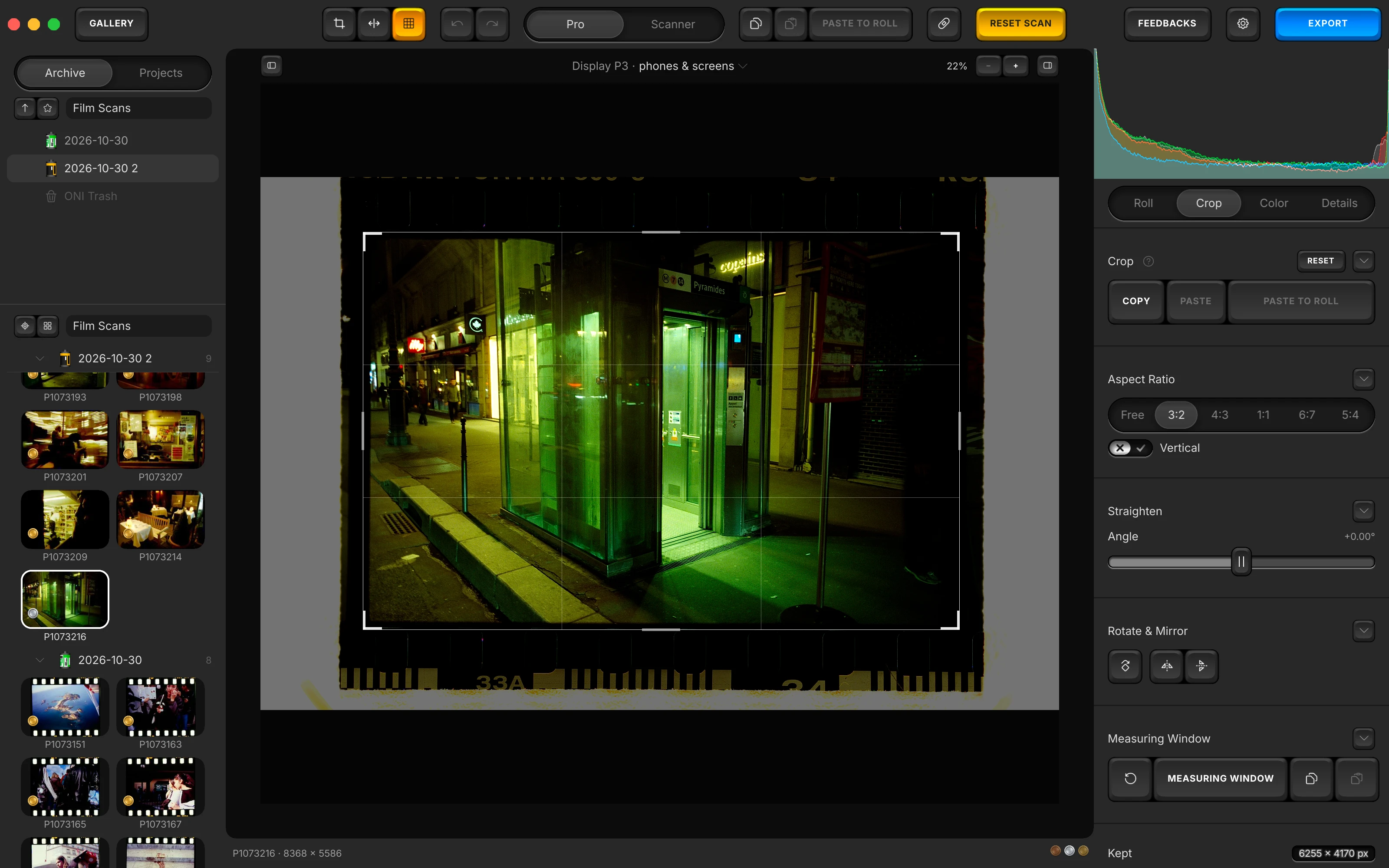
Crop
Drag the corners on the photo to crop it. The framing never travels with a paste of settings or a preset: it has its own three keys here. Press Return, and the app leaves the tab for the one you came from.
The app's own note on Crop
Drag the corners on the photo to crop it. Copy and Paste carry the whole framing to other photographs, Paste to Roll to every frame of the roll; the settings paste never does.
Copy, Paste and Paste to Roll
Copy takes this photo's whole framing: crop, ratio, angle, quarter turns, mirrors and measuring window. Paste lays it on the selected photos, or on the open one; Paste to Roll on every photo measured with this roll.
- A paste of settings and a preset never carry a crop: a frame pasted onto another photo would undo the cropping made by hand.
- The framing's copy and the settings' copy are kept apart: taking one never empties the other.
- The block's reset returns the whole framing, but not the measuring window.
- Travels
- Never by a preset or a paste of settings: the framing travels by the Crop tab's own Copy, Paste and Paste to Roll keys.
Aspect Ratio
The shape first: every other gesture is made inside it.
Aspect Ratio
Free, or one of five locked ratios: 3:2, 4:3, 1:1, 6:7 and 5:4. A locked ratio, with Vertical, is handed to the next photo you open in the Crop tab, for as long as the app stays open; Free hands nothing on.
- A quarter turn applies the ratio again in the new orientation.
- Travels
- Never by a preset or a paste of settings: the framing travels by the Crop tab's own Copy, Paste and Paste to Roll keys.
Vertical
Turns a locked ratio upright. Greyed on Free and on 1:1, where it would change nothing.
- Travels
- Never by a preset or a paste of settings: the framing travels by the Crop tab's own Copy, Paste and Paste to Roll keys.
Straighten
Levels the frame. The crop shrinks to stay inside the turned picture.
Straighten
Angle levels your photo. The crop shrinks to stay inside the turned picture, fitted again from where the gesture started, so an angle crossed on the way leaves no mark.
- Hold ⌥ (Alt on Windows) while dragging for finer steps.
- The Crop block's reset returns the angle and the frame together.
- Angle
- -8.00° to +8.00°, at rest +0.00°
- Travels
- Never by a preset or a paste of settings: the framing travels by the Crop tab's own Copy, Paste and Paste to Roll keys.
Rotate & Mirror
Quarter turns and mirrors. A turn takes the crop and the measuring window round with the picture.
Rotate & Mirror
Rotate 90° clockwise turns your photo a quarter; the plate beside it mirrors it left for right and top for bottom, and a second press unmirrors. Mirror Horizontally is also in the View menu, ⇧⌘M (Ctrl+Shift+M on Windows).
- A turn takes the crop and the measuring window round with the picture, and applies a locked ratio again.
- Travels
- Never by a preset or a paste of settings: the framing travels by the Crop tab's own Copy, Paste and Paste to Roll keys.
Measuring Window
Where Auto White Balance and the histogram read, drawn beside the crop. At the bottom of the tab, Kept gives the pixels the crop keeps.
- MEASURING WINDOW
Choose where the balance reads. A frame on your photo: Auto White Balance and the histogram read only what it holds.
- APPLY WINDOW
Green while you draw it. Press the key again, or Return (Enter on Windows), to apply the window.
Measuring Window
Measuring Window shows a frame on your photo: the balance keys and the histogram read only what it holds. While you draw it, the key turns green and reads Apply Window; Return applies it too.
- Untouched, it follows the crop. Armed for the first time, it starts a tenth inside each edge; once placed, the crop never moves it.
- The reset key hands the window back to the crop; the copy and paste keys carry the window alone to another photo.
- It also travels with the framing's own Copy and Paste, never with a preset.
- Travels
- Never by a preset or a paste of settings: the framing travels by the Crop tab's own Copy, Paste and Paste to Roll keys.
The rest of the manual.
Every surface of the app, in the order of your work. From the folder of scans to the exported file.
- ArchiveOpening the folder of your scans, your folders and favourites, the Archive and Projects tabs, a roll's own facts, the Rolls and Labels menus, and the ONI Trash.
- Prepare the RollThe five steps a roll goes through before its frames are edited: film, flat-field, film base, flags, measuring frame, then Measure.
- RollWhat a roll shares: film type, flat-field, source encoding, the manual balance, the levels, dye separation and Balance strength.
- ColorAuto White Balance, Temperature and Tint, Lighting, Effects, Curves, the finishing blocks, and Paper Correction on a paper profile.
- DetailsSharpening, chroma denoise and texture, the stages that act on the grain, judged in the loupe at full resolution.
- De-dustThe brush for dust and scratches, its size, and the list of corrections painted on the open photo.
- ScannerThe Scanner face: ONI or Frontier, a lab scanner's keypad of D, C, M, Y and TEMP, and the finish laid after its render.
- PresetsThe deck, saving a preset, its eighteen switches and white balance choice, the Settings menu, and Copy and Paste.
- ExportThe export screen: three presets, format, space and paper profiles, size, the HDR hack, each photo's EXIF line.
- Toolbar and menusEvery key of the bar and of the canvas margin, and every menu item with its shortcut.
- The whole manualEvery surface on one page, in the order a roll goes through the app.
- The guideYour first negative converted, step by step.
Convert your first roll tonight.
Add your folder, prepare the roll once, export. Free, and nothing else to install.
- Mac
- macOS 13 or later on Apple Silicon or Intel
- Windows
- Windows 10 or 11 (64-bit)
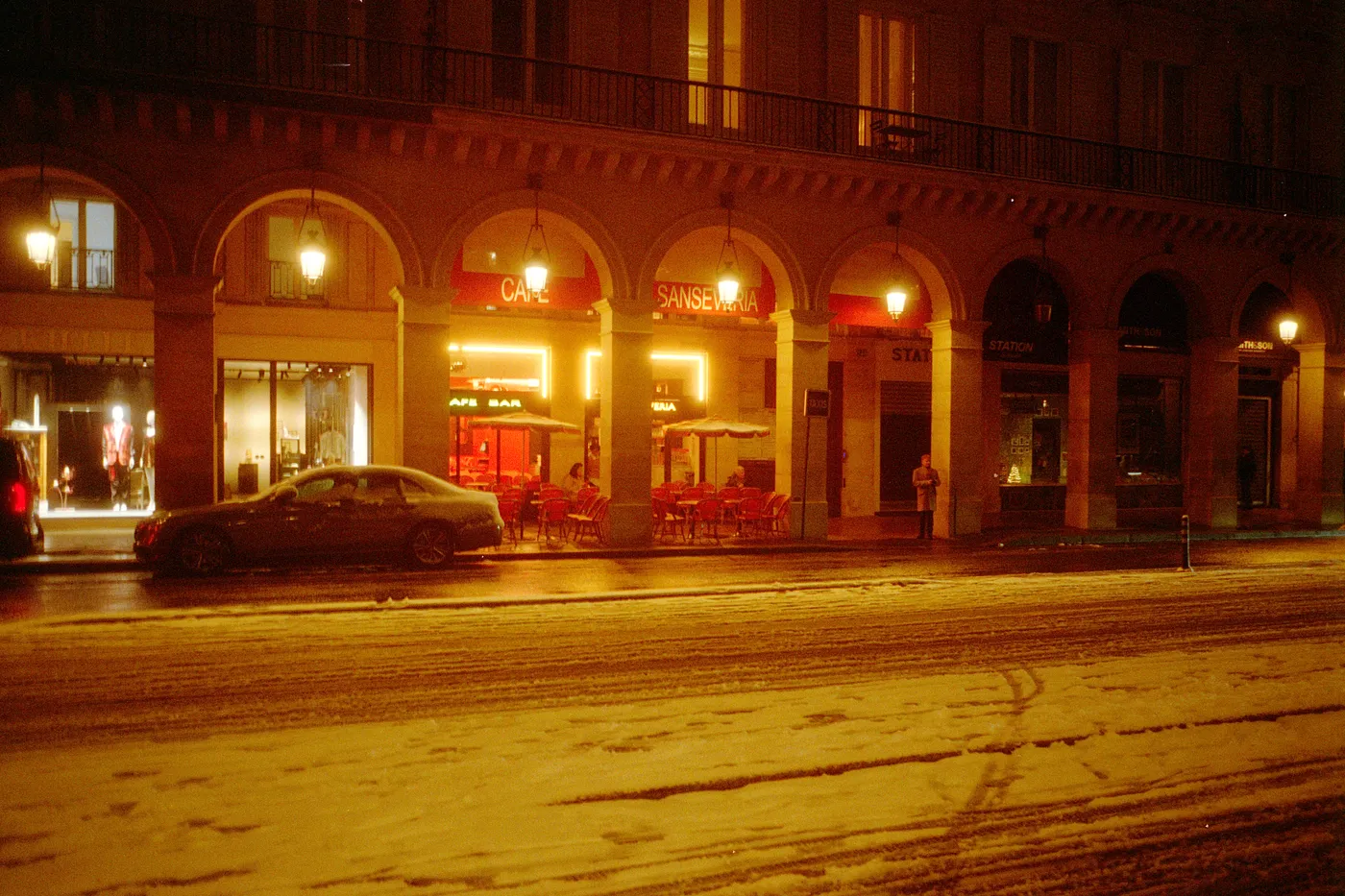
Snow night. Kodak Gold, converted in Open Negative Initiative.